The best mix and match bundle ideas for Shopify combine one product range with a simple rule and a visible reward: any 3 cookies for 15% off, box sizes with bigger discounts, a fixed-price dozen, or a gift box with packaging and a note. Below are nine ideas, each with the exact settings that make it work.
The video below is a full walkthrough of idea 1: a cookie page where shoppers pick up to three cookies and get 15% off. The other eight ideas are set up the same way in NeatBundles. You change the product pool, the pick rule or the way the price works, and the same page becomes a completely different offer. Every idea runs on our demo store or on a real Shopify store, so you can see it working before you copy it.
Key takeaways
- Every mix and match bundle idea is a combination of three settings: which products are in the pool, how many shoppers pick, and how the price works.
- Show the reward while shoppers build. Tier badges and "add 2 more products" prompts do more than a discount mentioned in the product description.
- Gift ideas need one extra step (packaging or a personal message), not a different app.
- NeatBundles is free to use up to $500 of bundle sales a month, so you can test an idea before committing to it.
What makes a mix and match bundle idea work?
A mix and match bundle is an offer where shoppers choose their own combination from a list of products you pick, and buy it as one bundle at a discount or a set price. The idea behind a good one is never the layout. It's the three settings underneath it.
| Lever | What you decide | Where you set it in NeatBundles |
|---|---|---|
| The pool | Which products shoppers can choose from | Products section: hand-pick products or add a collection |
| The rule | How many products make a bundle | Rules: minimum and maximum products to select, Allow duplicates |
| The price | What shoppers pay for the bundle | Bundle pricing (dynamic or fixed) and Bundle discount (percentage, fixed amount, or none) |
Most of the ideas below change only one of those levers. That's why they're quick to test: duplicate a bundle, change one setting, and compare.
9 mix and match bundle ideas you can copy
These go roughly from simplest to most involved. The first one is exactly what I built in the video.
1. The any-3 sampler with a flat discount
A sampler lets a new customer try several flavours, scents or shades without committing to a full-size set. It suits food, coffee pods, tea, candles, soaps, lip balms and face masks: any range where people want variety.
On our demo store, shoppers pick up to three cookies and get 15% off. Each card shows a "From $8.50 in bundles" price, so the deal is visible before anyone adds a thing. Once three cookies are in the bundle, the other Add buttons grey out, so nobody can break the rule by accident.
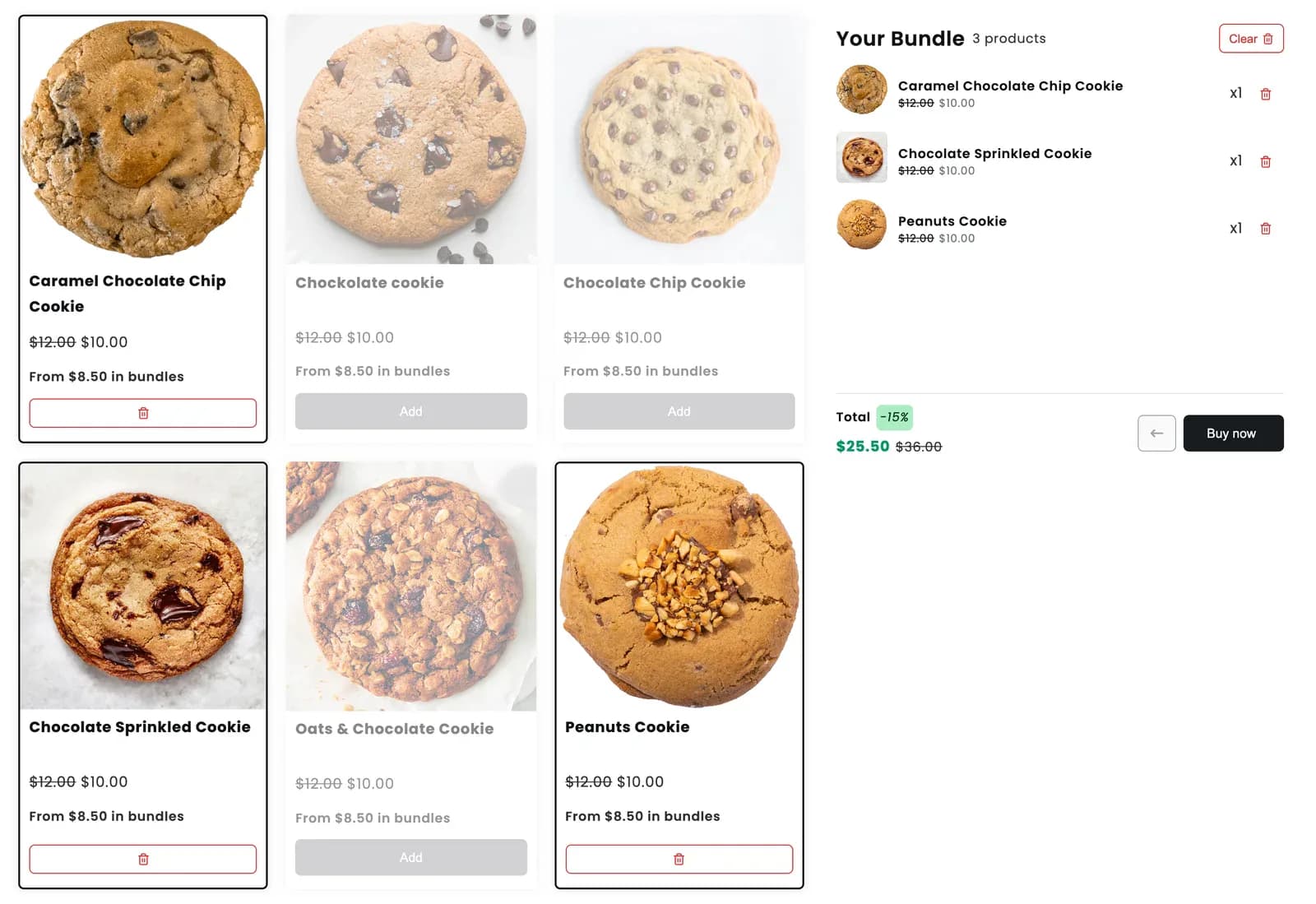
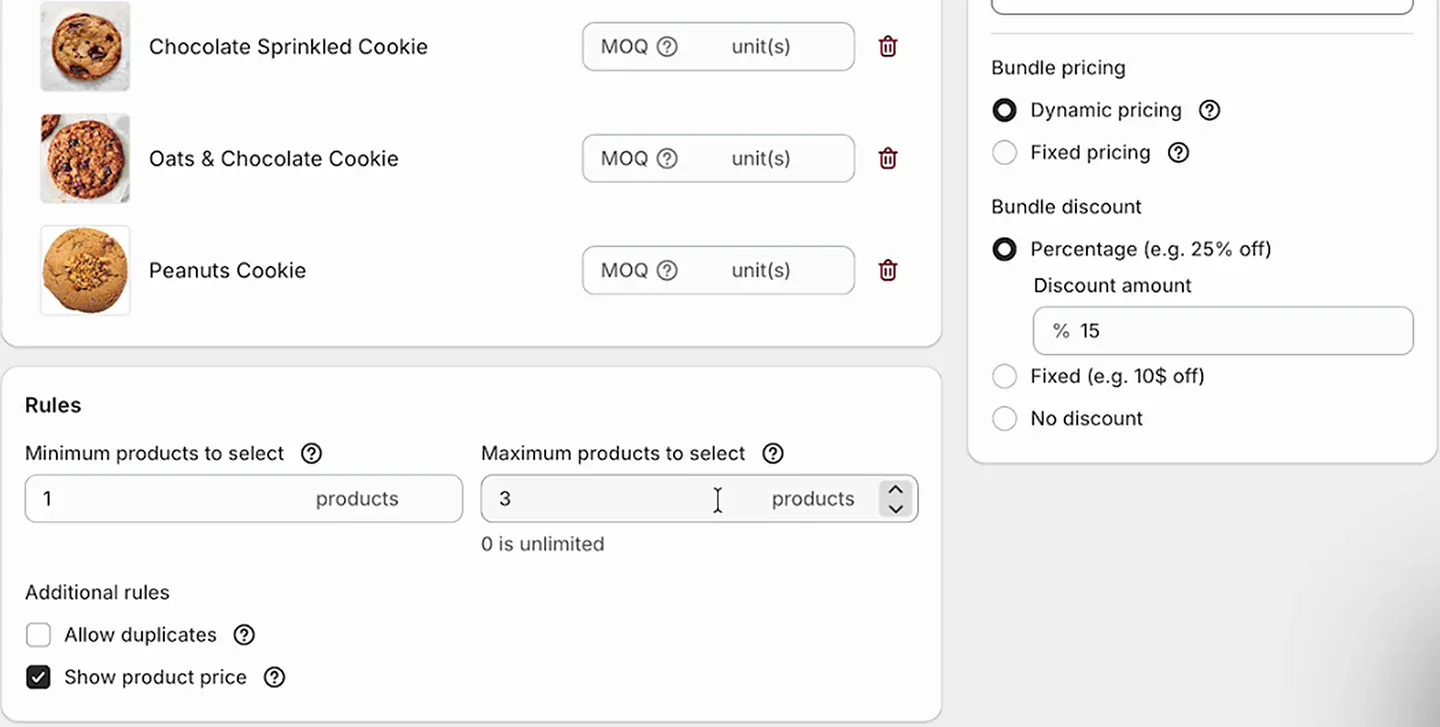
Settings: Simple Mix & Match type, minimum 1 and maximum 3 products, percentage discount of 15%.
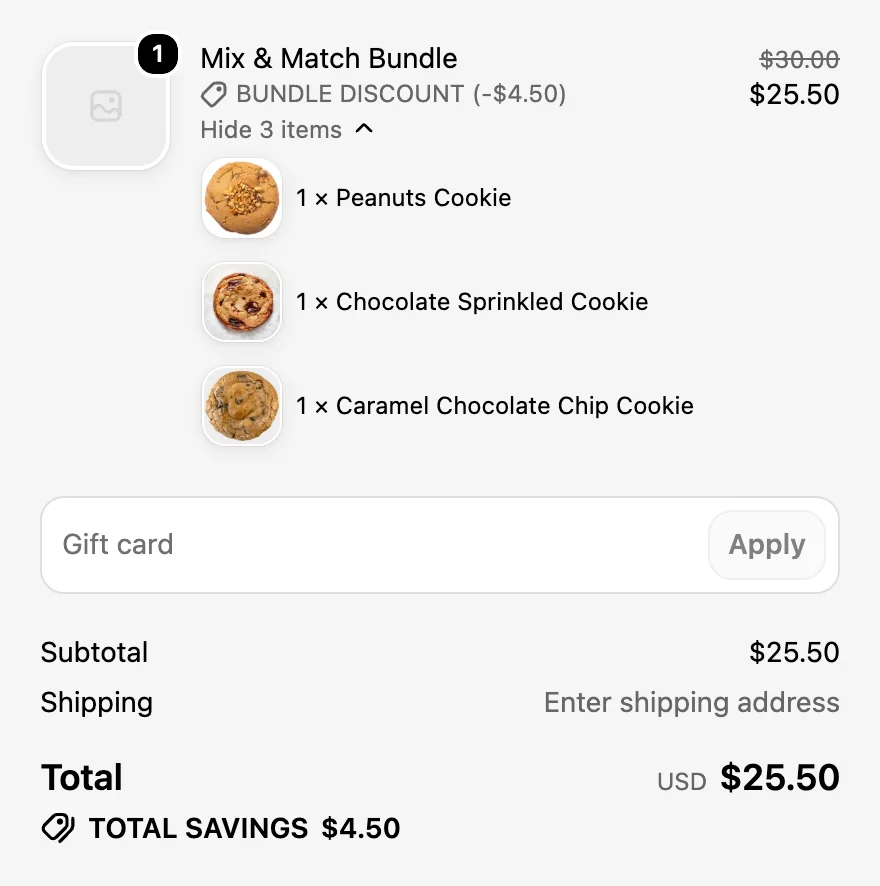
At checkout the three cookies arrive as one bundle line. The $30.00 total drops to $25.50, and every cookie is listed under the bundle, so stock comes off the real products:
A real store doing this in beauty is Miss & Mrs., whose shoppers build their own face mask set from one collection. You can see it in the bundle gallery.
2. A "pick 3 to unlock" coffee trio
This one flips the sampler around: the discount only starts once the shopper has added enough. It works when you'd rather sell three bags than one, and your margins can carry the discount only at that size.
On the demo coffee page, after one bag is added, the bundle panel says "Add 2 more products to get 15% off" and the Buy now button stays grey. That line keeps counting down as the bundle fills, which gives shoppers a clear target instead of a vague promise.
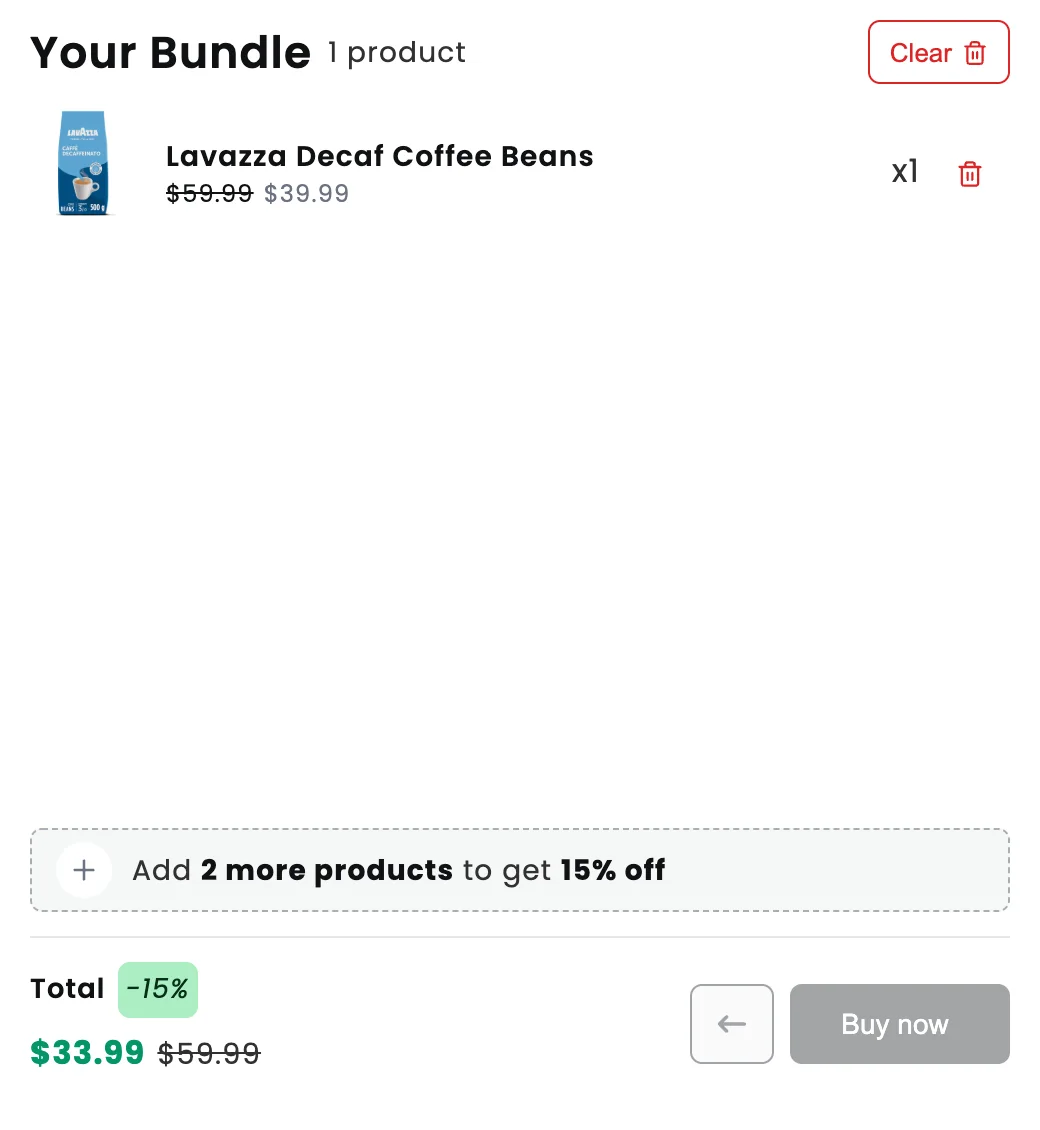
Settings: a minimum of 3 products and a 15% discount, so the bundle can't be bought until the third bag is in. Astrid's Buttah, a beauty store in the gallery, uses the same countdown to push shoppers to three items for 15% off.
3. Box sizes with volume tiers
Volume tiers reward bigger bundles with bigger discounts, so shoppers who were going to buy three often stop at five or six. It's the idea I'd try first if your products are cheap enough that people buy several anyway.
The demo build a box page shows three tiers above the bundle: Box of 3 for 10% off, Box of 5 for 15% off, Box of 6 for 20% off. With three cookies in the box, the first tier is highlighted, the total is $27.00, and the panel already says what the next tier needs.
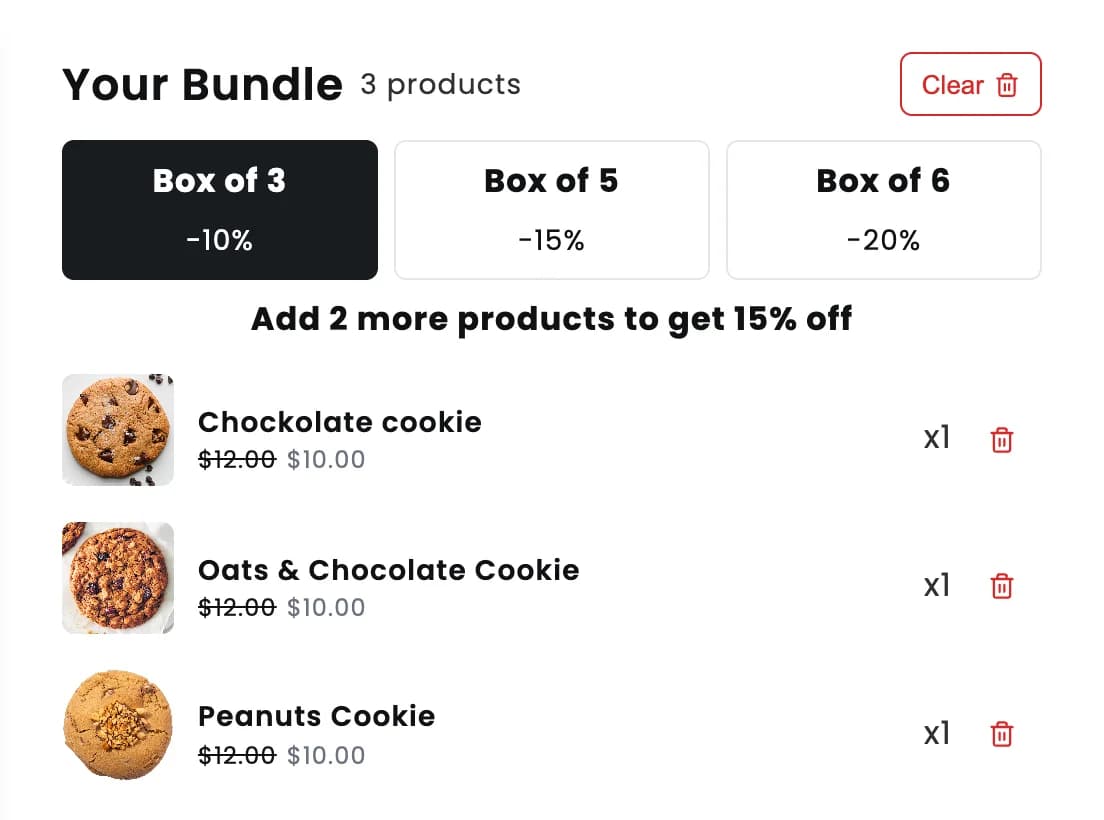
Settings: volume discount tiers by number of items. The volume and tiered discounts page explains how the tiers work.
This is the format behind our most detailed result so far. The Pin Theory, an accessories store, prices its mix and match sets at 25% off for three, 33% off for four and 50% off for six or more. Since moving to a full-page bundle they've seen a 17% increase in average order value, according to The Pin Theory case study.
4. A fixed-price case or dozen
A fixed-price bundle costs the same whatever the shopper picks. It's the cleanest offer for products with similar prices sold in standard quantities: cans of beer, cookies by the dozen, bath bombs by the six.
Two stores in the gallery do this well. Brew Export sells a Pick 'N' Mix beer case: twelve cans for GBP 85 or twenty-four for GBP 160, filled from the whole range. Mannazello Treatz sells twelve cookies for a flat $28 and prices every flavour at zero inside the builder, so the bundle price is the only number shoppers see.
Settings: Fixed pricing, with the minimum and maximum set to the same number (12 for a dozen). Untick Show product price if, like Mannazello, you don't want individual prices on the cards.
Heads up: With a fixed price, a shopper who picks only your most expensive items pays the same as one who picks the cheapest. Check the bundle still makes money in the worst case before you launch it.
5. Colours and sizes picked on the card
Some products only make sense once a variant is chosen: a T-shirt needs a size, a pin needs a finish, a locket needs a charm. Mix and match still works for them, as long as shoppers can choose the variant without leaving the bundle page.
Céloria Jewellery lets customers combine a locket with the birthstone charms they want, with every option chosen inside the builder. The Pin Theory does the same with finishes (black, silver, gold and more) on each pin, and Astrid's Buttah with product sizes. In NeatBundles, variant pickers sit right on the product cards.
Settings: add the products with their variants to the pool. If you only stock some sizes, add individual variants instead of the whole product. Sold-out variants can't be picked, so the bundle never promises something you can't ship.
6. Packaging first, then fill the box
Gift shoppers care about the box as much as what's inside it. Starting with the packaging turns a product bundle into a gift, and the packaging itself is a product you can charge for.
The demo store's gift box opens with "Select Gift Box Packaging" and a short line ("Great packaging goes a long way.") before shoppers move on to the products. Here a gift box with a bow is already in the bundle:
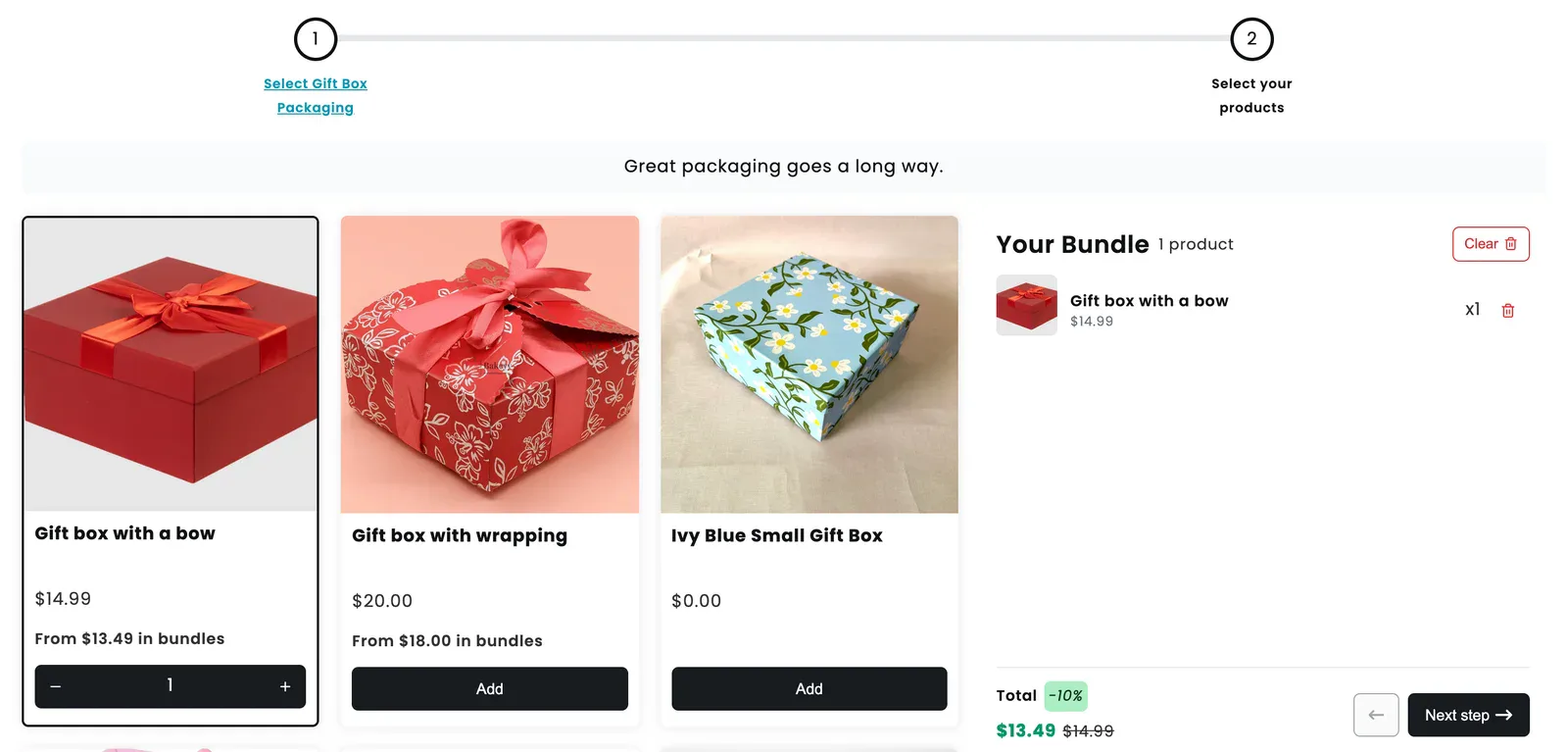
Settings: this adds a second step to the bundle: step one holds the boxes, with a maximum of one, and step two holds the products. The gift box builder page shows more of what's possible.
7. A gift box with a personal message
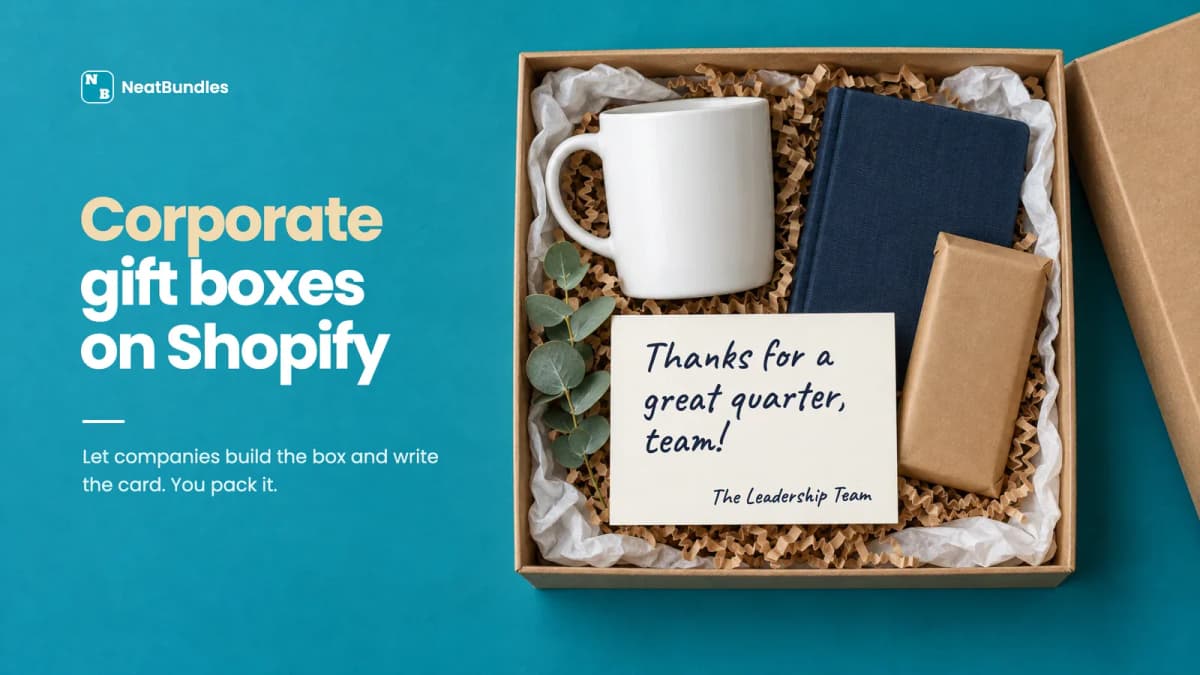
A gift box with a note feels finished in a way a parcel of products doesn't. It suits gifting stores, corporate gifts and anything sold around holidays.
On the demo gift box builder, shoppers pick their gifts and then reach a Personalization step with From, To and Message fields. The bundle can't be bought until the required fields are filled in, so the note always reaches your packing table.
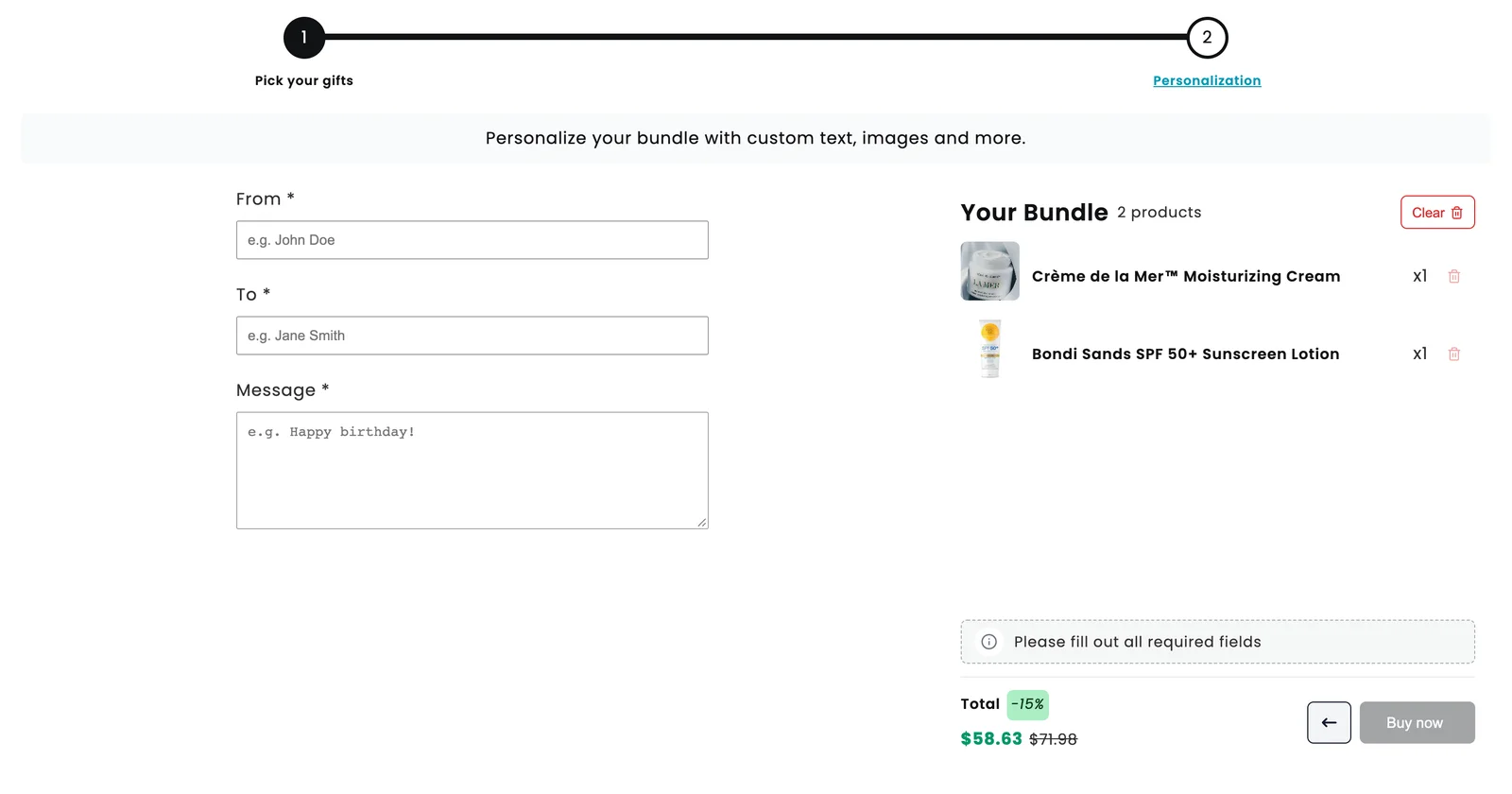
Settings: a products step followed by a personalization step. Whatever the shopper types is saved on the order.
8. Free extras that make the bundle feel generous
A free item feels more generous than the same value taken off the price, and it's a good way to introduce a product people haven't tried yet. Samples, a tote bag or a snack all work.
Fitted Nutrition builds weekly meal plans this way: shoppers pick up to ten free snacks, then the meals, and the summary shows the saving against the full price as the plan fills up.
Settings: the Free gifts section adds products to the cart automatically whenever a customer builds the bundle. For free picks the shopper chooses, like Fitted Nutrition's snacks, give them their own step before the paid products.
9. Add-ons right inside the bundle panel
Not every product belongs in the pool, but some still sell well next to it: a mug next to coffee, a gift card next to a box. Showing them in the bundle panel catches shoppers at the moment they're already adding things.
The demo store's build a box page shows a "You might also like" row under the bundle, each item with its own Add button:
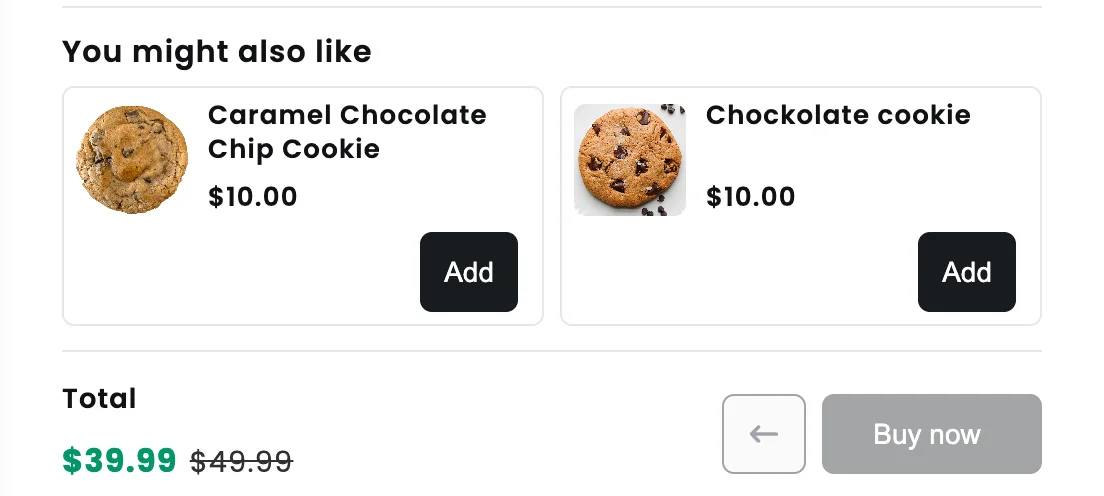
Keep the row short. Two well-chosen add-ons look like a suggestion; six look like an ad.
Tip: Stuck on which idea suits your products? Ask ChatGPT with this ready-made prompt, then swap the candles for what you sell.
Which idea fits your store?
The right mix and match bundle idea depends mostly on how similar your products are in price and how people already buy them.
| Idea | Works best for | Price setting | Pick rule |
|---|---|---|---|
| 1. Any-3 sampler | Food, beauty, candles | 10-20% off | 1 to 3 |
| 2. Pick 3 to unlock | Coffee, tea, skincare | % off from 3 items | At least 3 |
| 3. Volume tiers | Low-priced items people buy several of | Tiers (e.g. 10/15/20%) | 3 to 6 or more |
| 4. Fixed-price case | Similar-priced items in set quantities | One fixed price | Exactly 6, 12 or 24 |
| 5. Variants on the card | Apparel, jewellery, accessories | Any | Any |
| 6. Packaging first | Gifting | Calculated, box included | 1 box, then products |
| 7. Personal message | Gifting, corporate gifts | Any | Products, then message |
| 8. Free extras | Food, supplements, beauty | Free gift or free step | Any |
| 9. Add-ons | Any store with natural extras | Regular price | Outside the pool |
If you're not sure, start with idea 1 or 3. They take the least setup and teach you what shoppers actually combine.
When mix and match is the wrong format
Mix and match bundles assume any combination from the pool makes sense. When it doesn't, shoppers end up with a bundle that doesn't work, and you end up with returns.
A skincare routine is the classic example: a cleanser, a serum, a moisturiser and an SPF are different jobs, and three cleansers isn't a routine. Our demo store solves that with a six-step guided bundle, one product type per step:
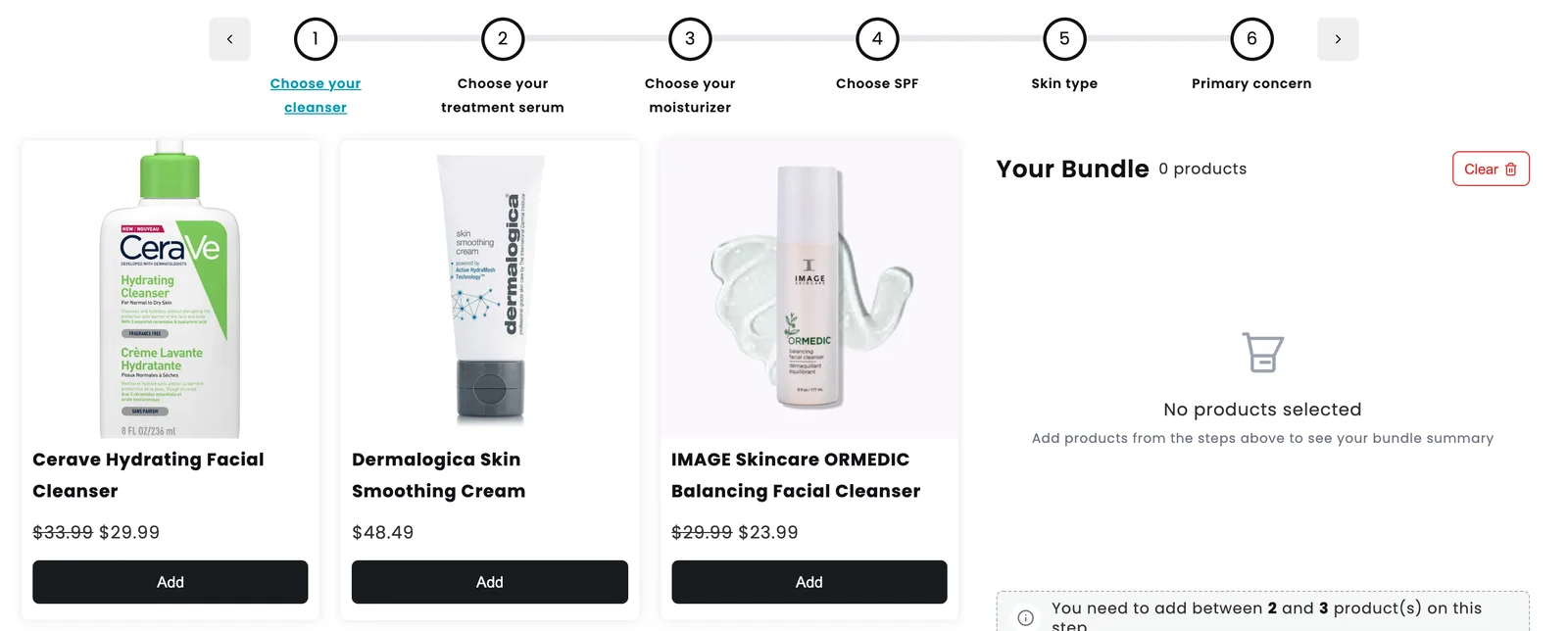
Choose a guided bundle instead when the products are parts of one kit (a brewer and the beans to suit it), and skip bundles altogether for expensive one-off purchases like furniture or electronics, where people rarely buy several at once.
Setting up idea 1 the way the video does
The cookie sampler from idea 1 takes under two minutes of screen time in the video. Here's the condensed version; for every screen in detail, see my full guide on how to create mix and match bundles on Shopify.
- Pick the type. In NeatBundles, click Add bundle and choose Simple Mix & Match. Guided Bundle and the gift box layouts sit next to it if you're going for ideas 6 or 7.
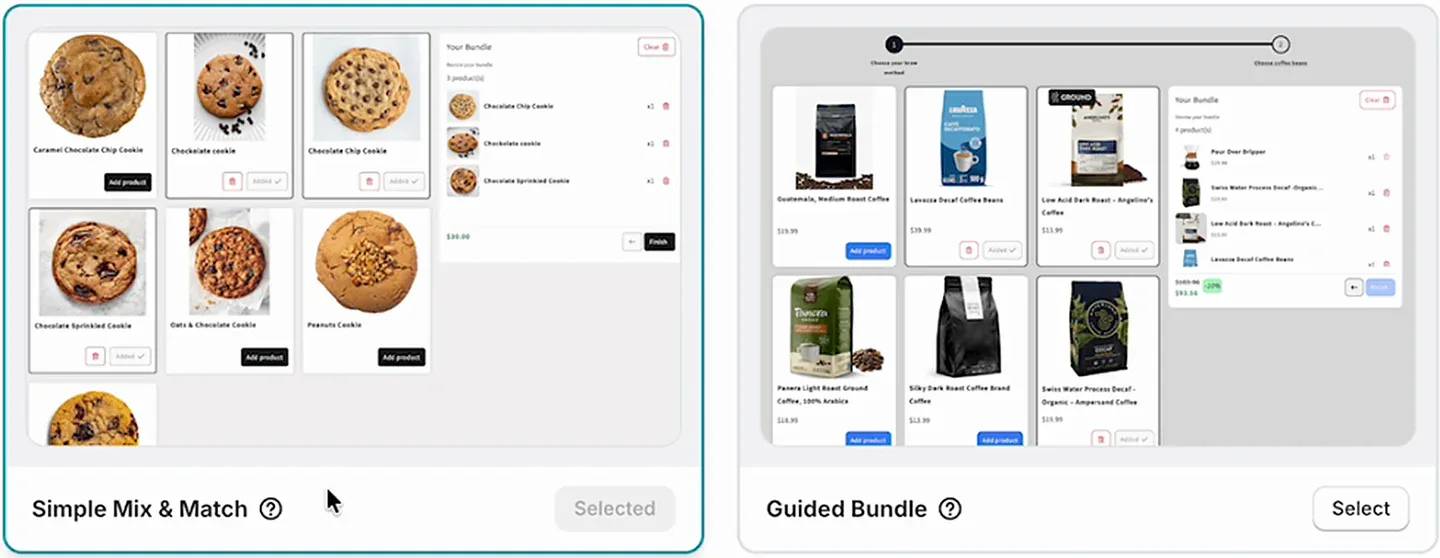
- Name it. The title shows at checkout and in other places your customers see, so pick something that still makes sense there.
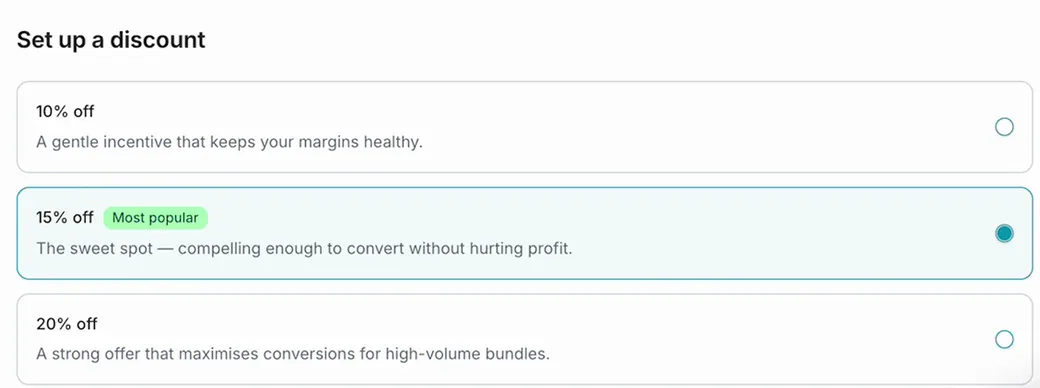
- Choose a discount. The setup offers 10%, 15% (marked "Most popular") and 20% off. I went with 15%, then clicked Finish.
- Select the products for the pool with Select products, then Save.
- Set the rules. Scroll down to Rules and set the minimum and maximum products to select. I used 1 and 3. This is also where the other ideas start: switch Bundle pricing to Fixed pricing for idea 4, or tick Allow duplicates so shoppers can pick the same flavour twice.
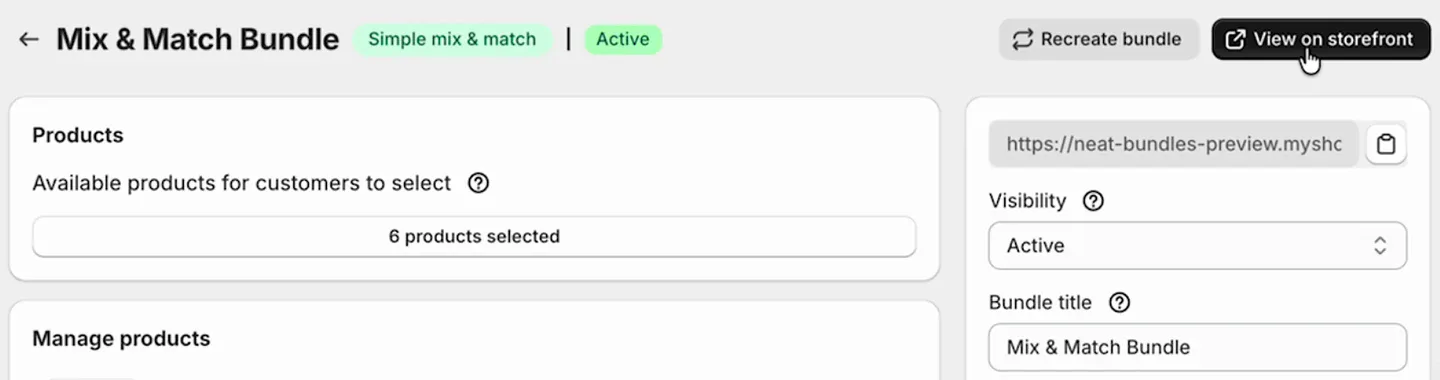
- Make it live. Change Visibility from Draft to Active, click Save, then View on storefront.
Getting shoppers to the bundle page
A mix and match bundle page only raises AOV if people find it. NeatBundles gives each bundle its own page, so you can link it from anywhere:
- Your main navigation, as "Build a box" or "Mix and match"
- A homepage banner, ideally showing the reward ("Any 3 for 15% off")
- Ad campaigns and emails, linking straight to the page instead of a collection
For a seasonal idea like a gift box, swap the homepage banner when the season starts and back again afterwards.
Frequently asked questions
How many products should a mix and match bundle offer?
Enough for choosing to feel real, few enough to scan without scrolling forever. Our demo pages use six or seven products, which fits on one screen. If your range is bigger, split it into themed bundles (a breakfast box and a snack box) rather than one long grid.
Should I use a fixed bundle price or a percentage discount?
Use a fixed price when your products cost about the same and sell in set quantities, like a dozen cookies or a case of beer. Use a percentage discount or volume tiers when prices vary, because the discount scales with what shoppers pick and you never sell an expensive mix too cheaply.
Can Shopify's free Bundles app do mix and match bundles?
No. Shopify's own Bundles app creates fixed bundles and multipacks, where you decide what goes in. For bundles where shoppers choose the products themselves, you need a mix and match bundle app such as NeatBundles, which adds the bundle page without code.
Do mix and match bundles keep my inventory accurate?
With NeatBundles, yes. The bundle reaches checkout as one line with every picked product listed under it, and stock comes off those real products. Sold-out variants can't be picked in the builder, so nobody can build a bundle you can't fulfil.
How much does it cost to run these mix and match bundle ideas?
NeatBundles is free to install and free to use up to $500 of bundle sales a month, with every feature included. That's enough to launch one or two of these ideas and see which one sells. The current plans are on the pricing page.
Pick one idea and launch it
You don't need all nine. Pick the idea closest to how your customers already buy, launch it with the defaults, and watch which combinations people build. After a few weeks you'll know whether to add tiers, switch to a fixed price or turn it into a gift box.
The mix and match bundles page has more on what the bundle can do, and you can install NeatBundles for free to build your first one today.