Shopify bundle builder
Build your own bundle
for Shopify
Customers build their own bundle from the products you choose, one step at a time. A shopper who came for one product leaves with a full routine, kit or set, so your Average Order Value grows with every bundle they build.
 Install for free
4.9 on the Shopify App Store
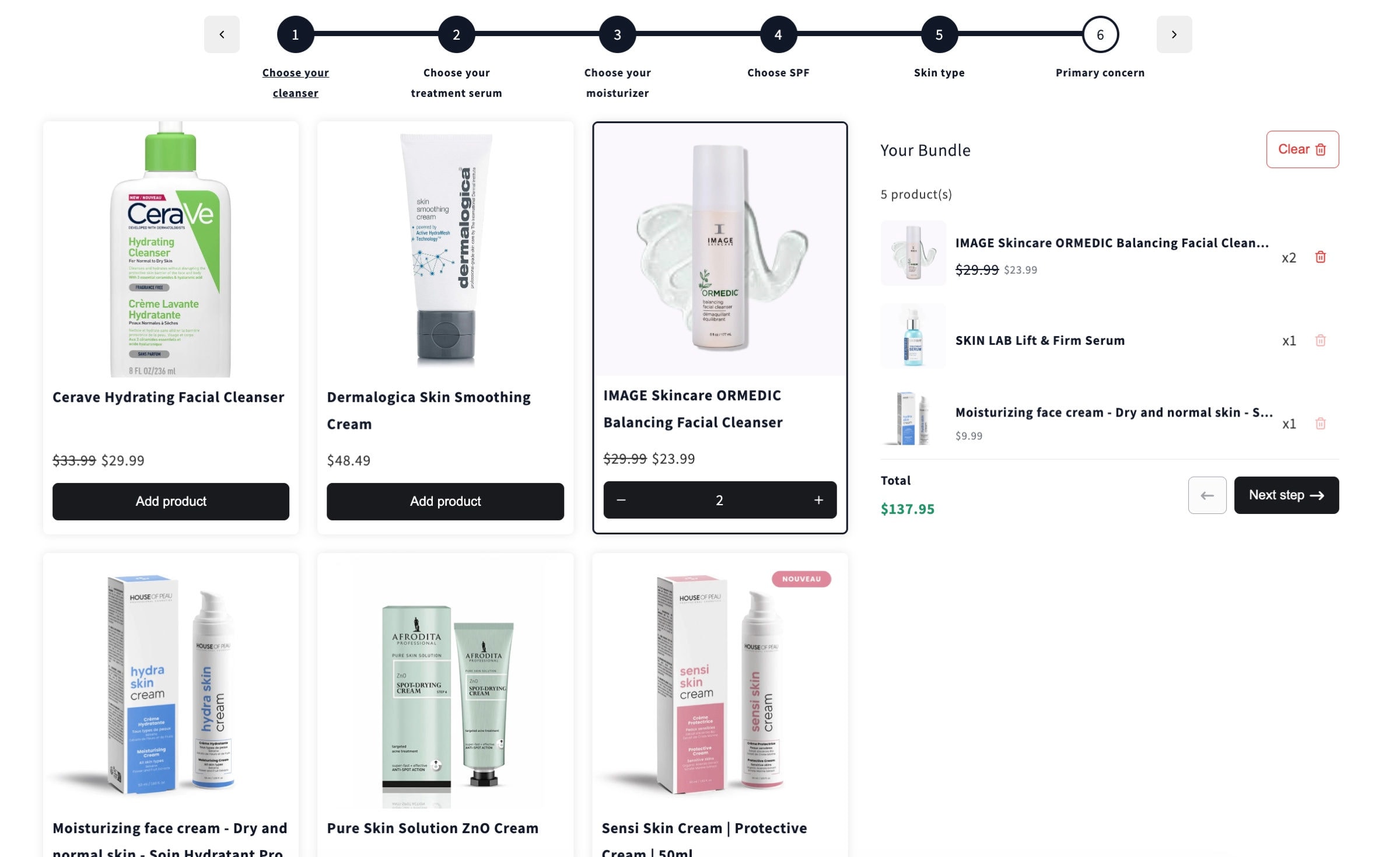
HoverTap a number to see what each part does.
Built to grow your order value
22%
Average AOV lift
4.9
Rating on the Shopify App Store
1 click
Theme setup, no code
$0
Up to $500 of bundle sales a month
1Step 1 · Steps
One step for every part of the bundle
Split the bundle into steps, like cleanser, serum, moisturizer and SPF. Each step has its own products, so customers build a complete set without having to know what goes together.
- Whole collections or hand picked products and variants per step
- A step bar shows customers what comes next
- Add question steps, like skin type, after the product steps
2Step 2 · Variants
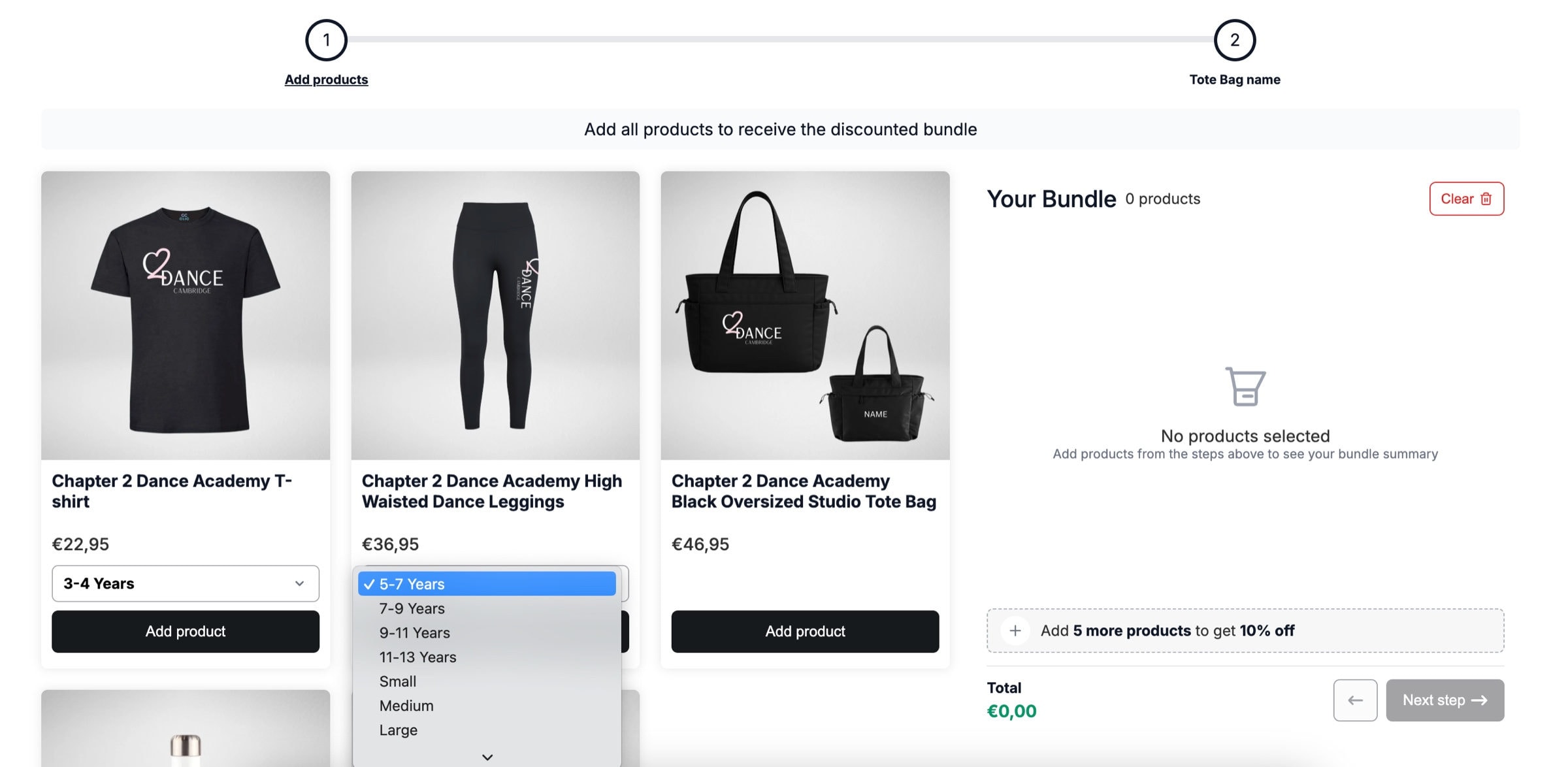
Variants chosen inside the builder
Sizes, colors and birthstones are picked right in the builder, so nobody is sent back to a product page halfway through their bundle.
- Variant pickers on every product card
- Inventory syncs, so sold out variants cannot be picked
- Works with the products you already have in Shopify
3Step 3 · Rules
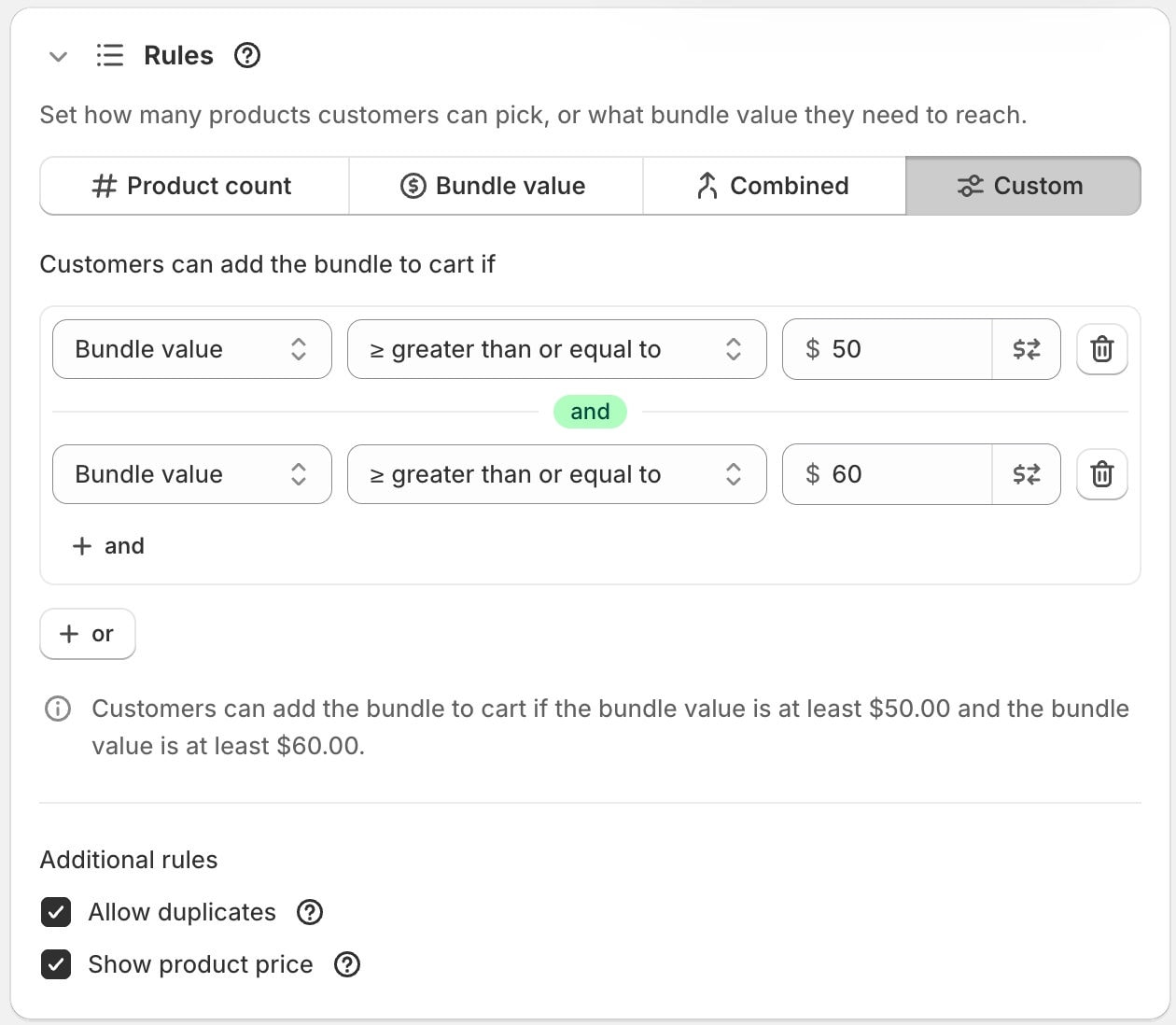
Rules, pricing and discounts in one place
Set the minimum and maximum per step, pick a fixed or calculated price and add a bundle discount, all from one screen in the NeatBundles admin.
4Step 4 · Details
Ask for the details that make it theirs
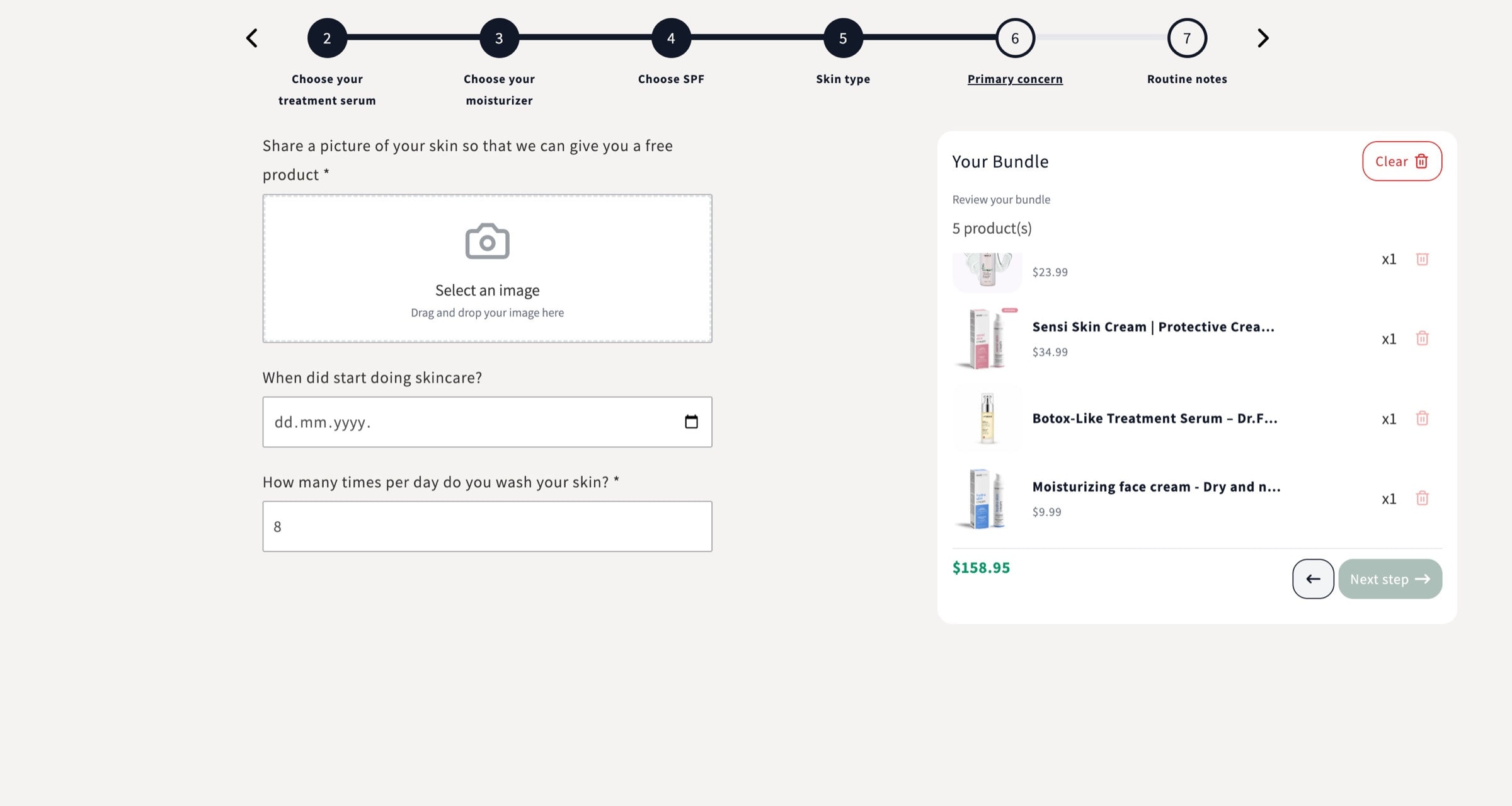
Content steps collect what you need before the customer finishes, from a note or a date to a photo. The answers travel with the bundle.
- Text, dates, dropdowns, photos and more
- Sits in the step bar like any other step
- Answers show up with the bundle order
5Step 5 · Cart
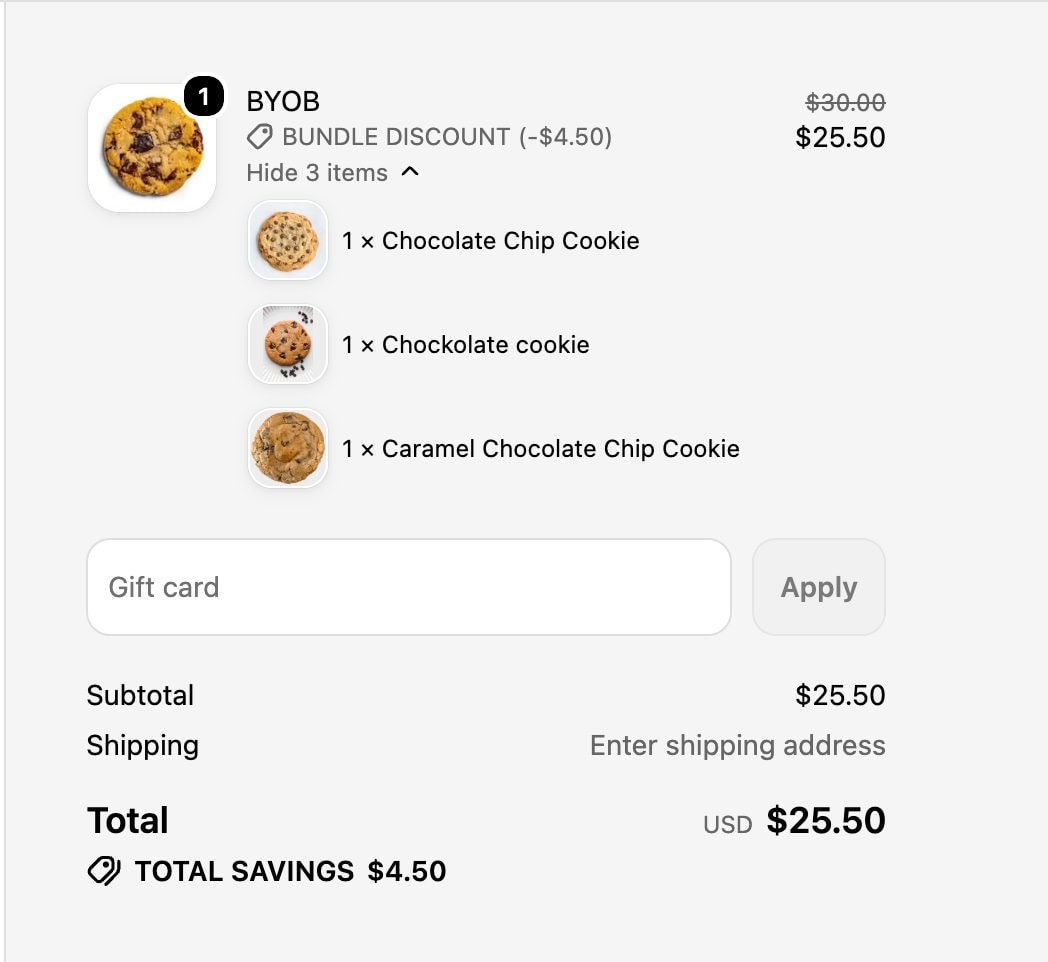
One bundle in the cart, every pick listed
The finished bundle lands in the cart as one product with the picked items listed under it. Each bundle lives on its own product page, so you can link to it, feature it and add it to menus.
- One bundle line with the items underneath
- The bundle discount shown right on the line
- Its own product page on your store
Set up
How to create a build your own bundle on Shopify
No code and no theme edits. Most stores have their first bundle live in a few minutes.
Install for free- 1
Install NeatBundles
Install the app from the Shopify App Store and turn on the theme app extension with one click.
- 2
Add your steps
Create a Build Your Own Bundle and add a step for each part of it. Pick the collections or products customers can choose from.
- 3
Set the rules
Choose how many items each step needs and how often the same product can be picked.
- 4
Price the bundle
Use a fixed bundle price or add up the items, then put a fixed or percentage discount on top.
- 5
Add a personal step
Optionally ask for a name, a date, a note or a photo before the customer finishes.
- 6
Publish it
Save the bundle and it goes live as its own product page on your store.
Try a build your own bundle live
Real builders set up with NeatBundles. Open a demo and build a bundle yourself.
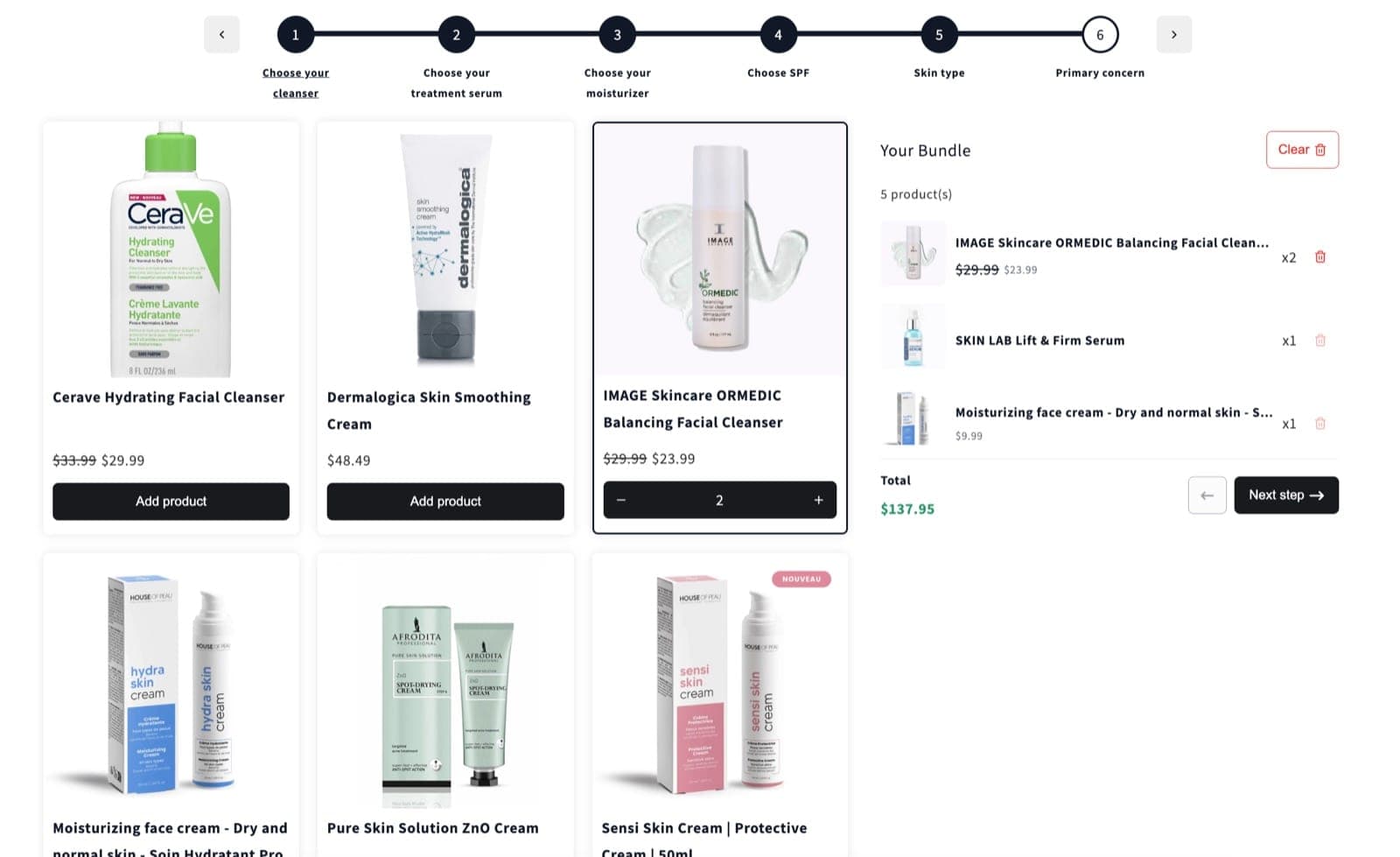
Six step skincare routine builder
NeatBundles demo store
Live demo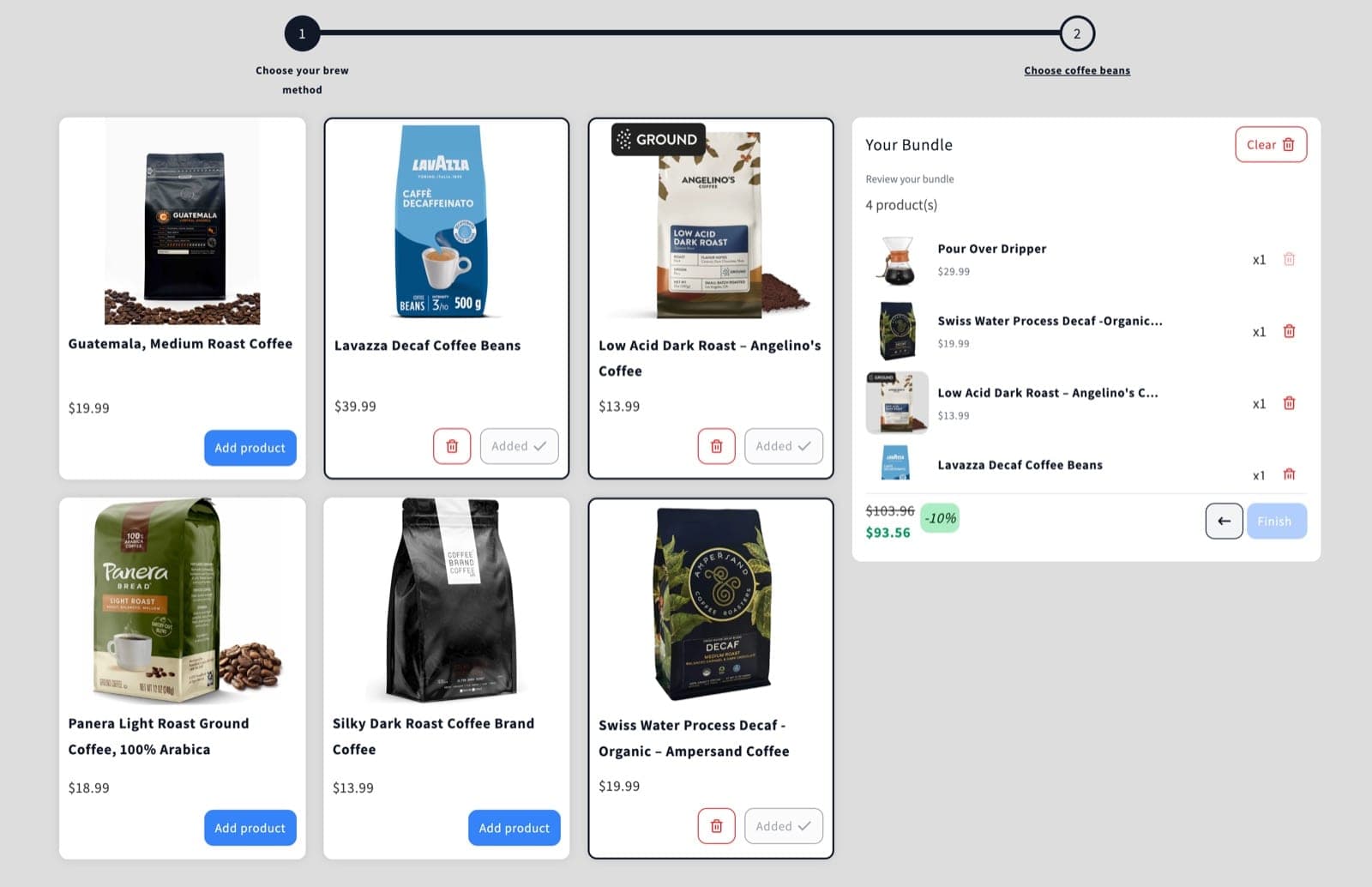
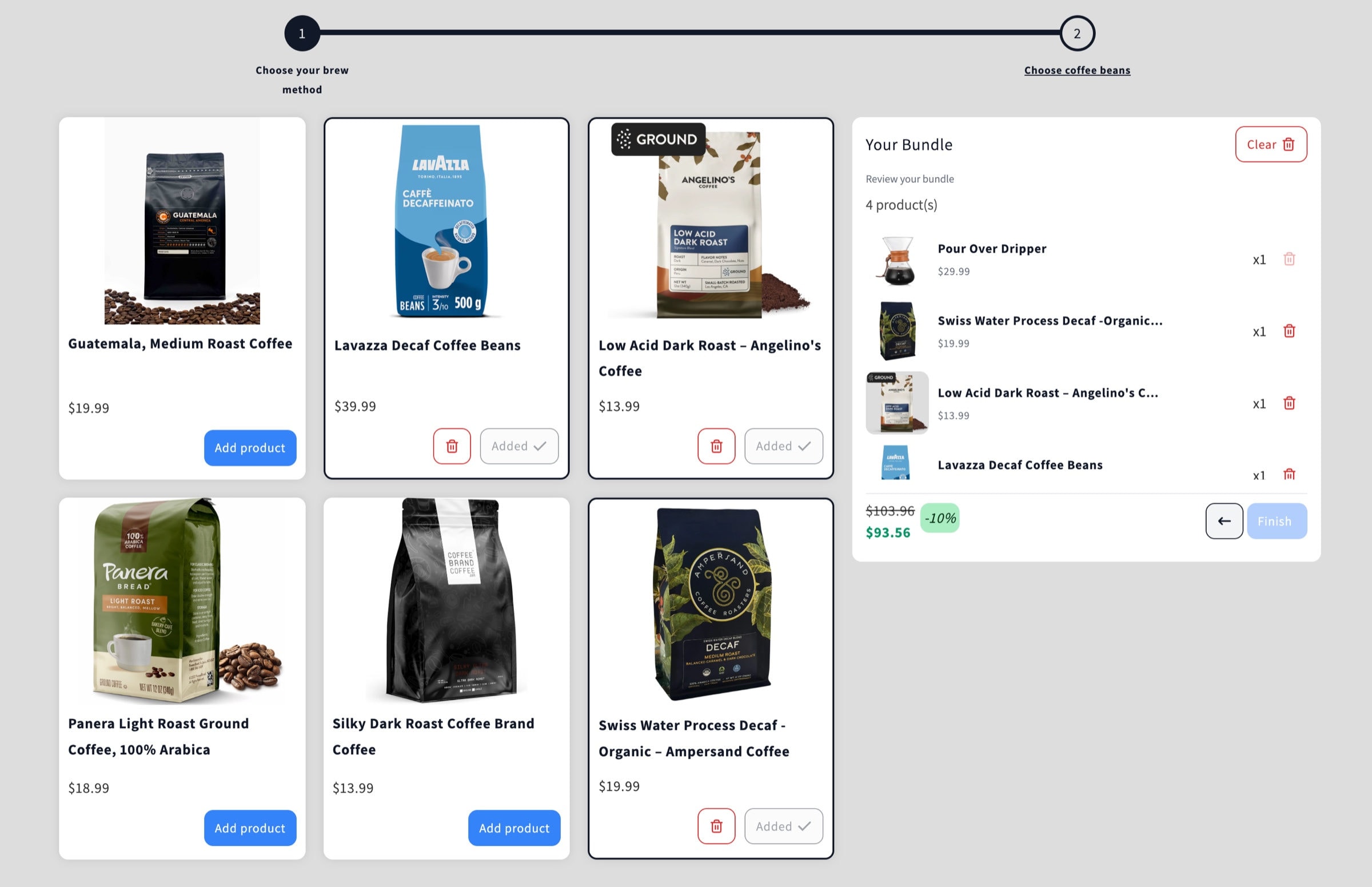
Brew method and beans
NeatBundles demo store
Live demo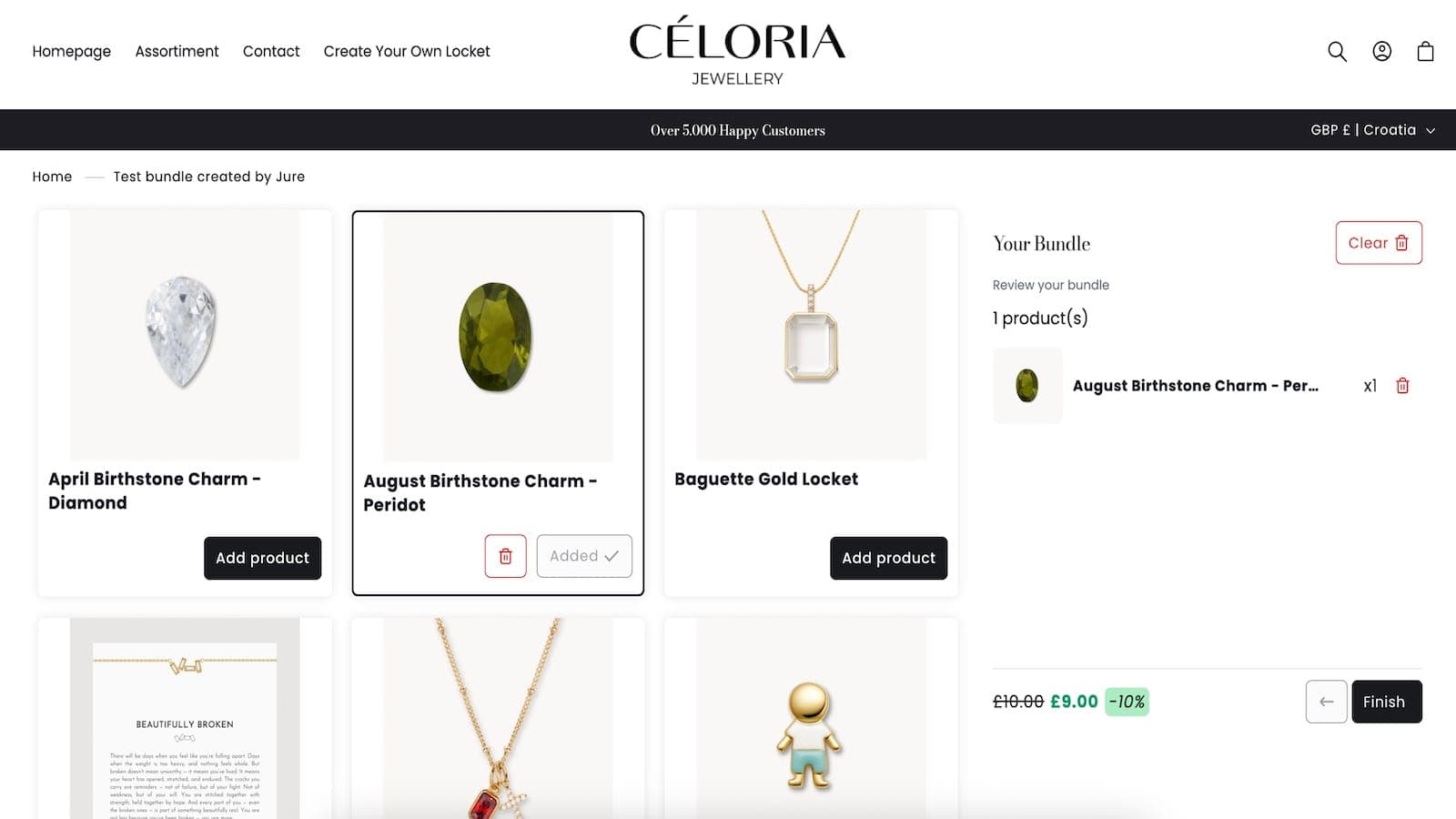
Build your own locket
Céloria Jewellery
No live demoLaunch your first build your own bundle
Free to install and you only pay more as your bundle sales grow. One-click theme setup, no code required.
Install for freeYour bundle
6 items- Steps with their own products
- Variant pickers in the builder
- Minimum, maximum and repeat limits
- Fixed or calculated price
- Bundle discount and up to 5 bulk tiers
- Content steps for customer details
Every feature, every plan
Up to $500 of bundle sales a month, then $19, $39 or $69 a month by bundle sales.
Free
Build your own bundle questions
What merchants ask before they set up their first BYOB.
What is a build your own bundle on Shopify?
A build your own bundle, or BYOB, lets customers choose every item in a bundle from the products you allow, then buy it as one product. NeatBundles adds this to any Shopify store without code.
Does Shopify have build your own bundles built in?
Shopify's own Bundles app sells fixed bundles and multipacks, where you decide what goes in. For bundles that customers put together themselves, you need a bundle builder app like NeatBundles.
Can customers pick variants like size or color?
Yes. Variant pickers sit inside the builder, so customers choose the size, color or option they want without leaving the bundle.
Can I give a discount on the whole bundle?
Yes. Add a fixed amount or a percentage off the bundle total, or reward customers who buy more than one bundle with up to 5 bulk discount tiers.
What is the difference between build your own bundle and mix and match?
A mix and match bundle usually lets customers pick any combination from one product list. A build your own bundle walks them through several steps, each with its own products, so the result is a complete set.
How much does NeatBundles cost?
NeatBundles is free up to $500 of bundle sales a month. After that it is $19, $39 or $69 a month depending on your bundle sales, with every feature included on every plan.