Volume and tiered discounts
for Shopify bundles
Reward customers for adding more. Each tier unlocks at a bundle size you choose, the next tier is always in view, and your Average Order Value climbs with every item.
 Install for free
On the storefront
A clear goal keeps customers adding
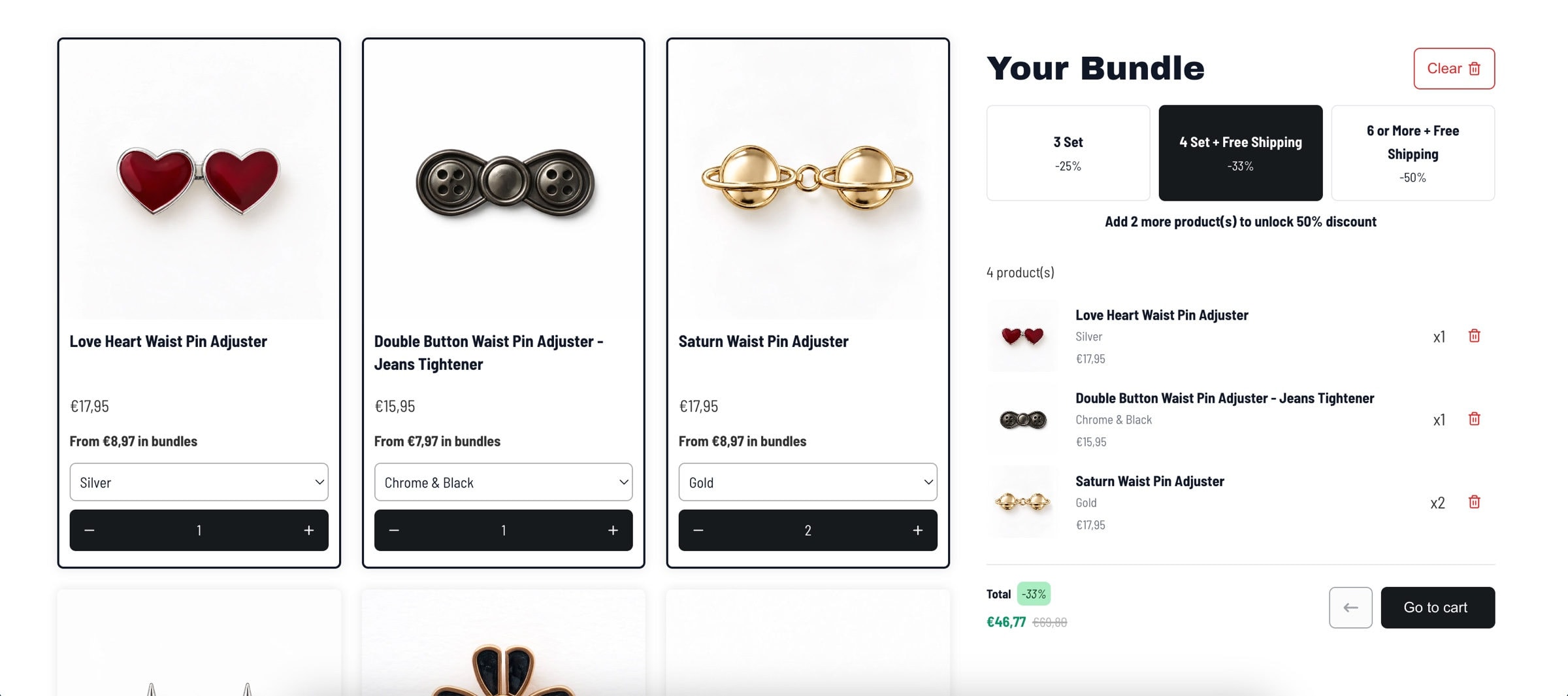
This is The Pin Theory's bundle page, built with NeatBundles. Every discount tier sits next to the bundle, so the shopper always knows what the next item is worth.
What you can set
Everything volume discounts can do
Quantity discounts for Shopify bundles, set up on the same screen as the bundle itself.
- Volume tiersUp to 4 per bundle
- Unlocked byA minimum number of items in the bundle
- Discount typePercentage off or a fixed amount off, one type for every tier
- Tier labelsYour own text, for example 4 Set + Free Shipping
- Next tier promptLive in the bundle summary, for example Add 1 more product(s) to unlock 33% discount
- At checkoutApplied to the bundle automatically in the cart, no discount code
- Bulk discountsUp to 5 more tiers for customers who buy several bundles at once
- SetupOne-click theme setup, no code
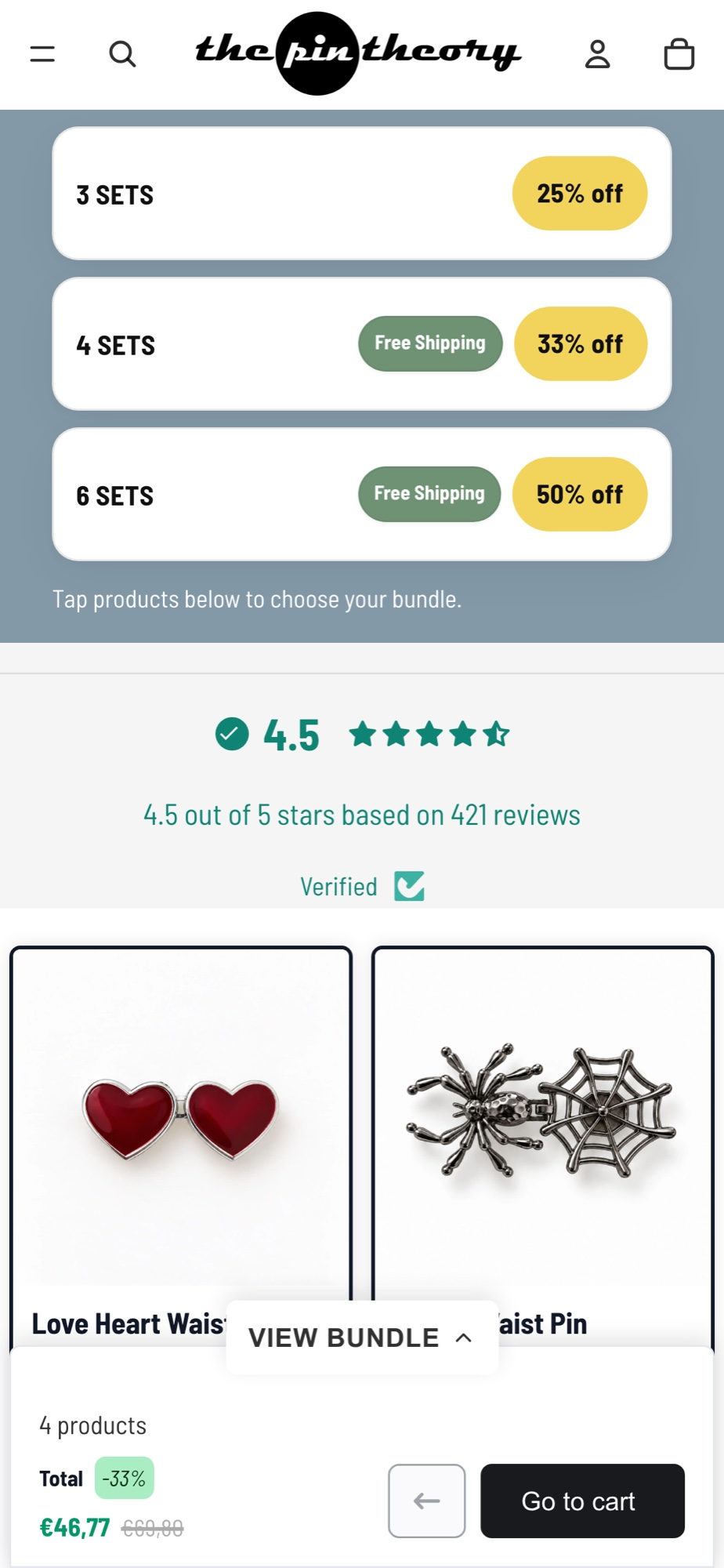
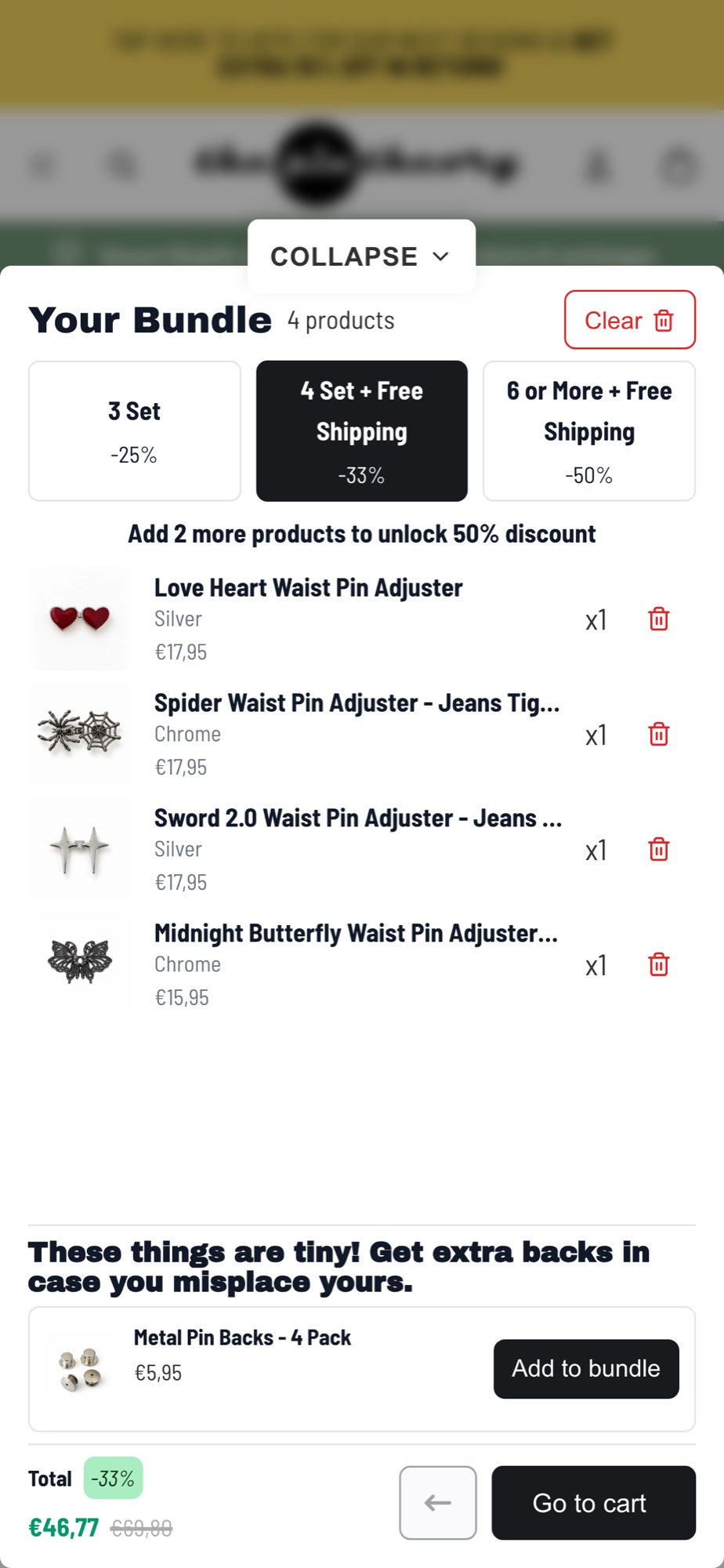
The Pin Theory on a phone. The summary bar shows the active tier, and opens to every tier.
Case study · The Pin Theory
Three tiers and a 17% bigger average order
The Pin Theory sells waist pin adjusters. They moved to a full page bundle with three discount tiers, so the discount grows with every set a customer adds.
- Higher average order value at The Pin Theory
- 17%
- Higher average order value at The Pin Theory
- Bundle page conversion rate
- 4.5%
- Bundle page conversion rate
- 25%off3 Set
- 33%off4 Set + Free Shipping
- 50%off6 or More + Free Shipping
Volume discounts on real stores
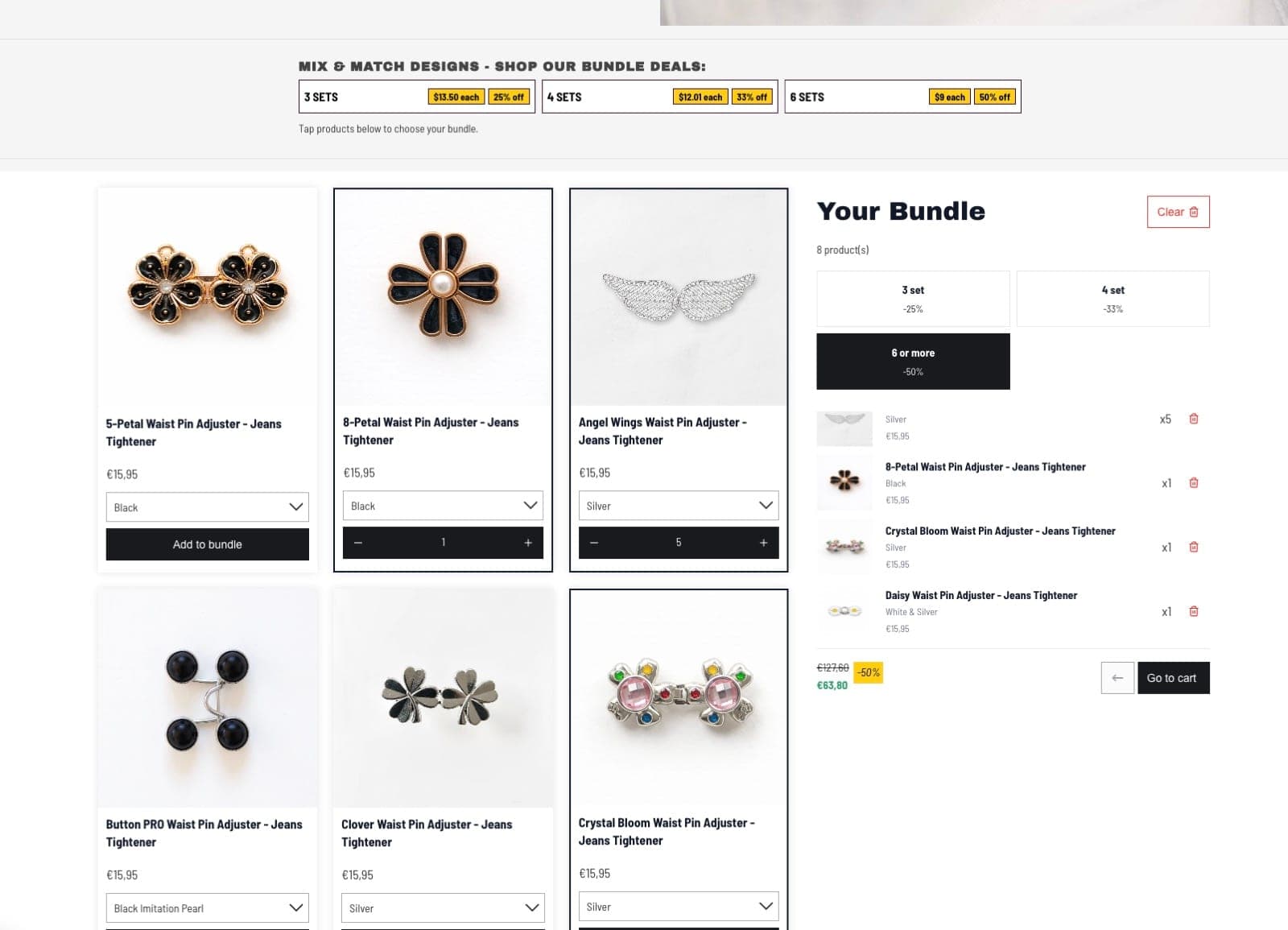
The Pin Theory
Mix and match sets with volume pricing
Visit the store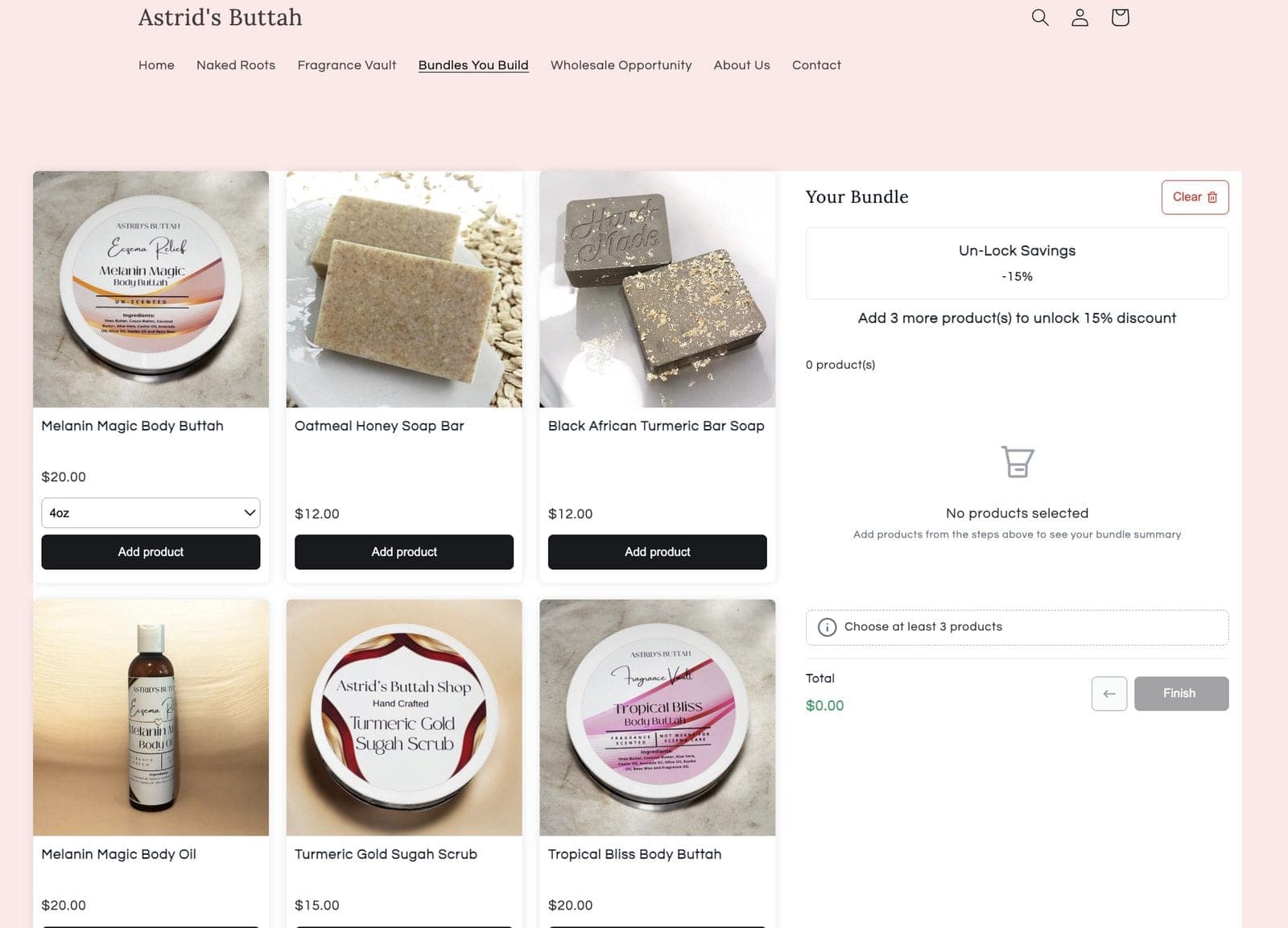
Astrid's Buttah
Bundles you build with a savings goal
Setup
How to add volume discounts to a Shopify bundle
Four steps, no discount codes and no theme edits.
- 1
Install NeatBundles
Install the app from the Shopify App Store and turn on the theme app extension with one click.
- 2
Create a bundle
Add the products or collections customers can choose from.
- 3
Add your tiers
Choose a percentage or a fixed amount off, then set how many items unlock each tier.
- 4
Publish it
Save the bundle. Customers see the tiers while they shop and the discount is applied in the cart.
Volume discount questions
What merchants ask before they add tiers to a bundle.
What is a volume discount on Shopify?
A volume discount lowers the price as the customer buys more. With NeatBundles the discount grows as customers add more items to their bundle, for example 25% off three items and 33% off four.
What is the difference between volume and tiered discounts?
They describe the same idea. Tiered discounts are the steps, like 3, 4 and 6 items, and volume is what unlocks them. In NeatBundles you set the tiers and the quantity that unlocks each one.
Do customers need a discount code?
No. The discount is applied to the bundle automatically in the cart, so the price customers see while building is the price they pay.
How many tiers can I add?
Up to four volume tiers per bundle, each unlocked by its own quantity. For customers who buy several bundles at once, you can add up to five bulk discount tiers on top.
Did volume discounts work for other stores?
The Pin Theory moved to a full page bundle with three tiers and grew its average order value by 17%. The full story is in our case study.
How much does NeatBundles cost?
NeatBundles is free up to $500 of bundle sales a month. After that it is $19, $39 or $69 a month depending on your bundle sales, with every feature included on every plan.
Give every bundle a reason to grow
Free to install, and you only pay more as your bundle sales grow. One-click theme setup, no code required.
Free up to $500 of bundle sales a month, then $19, $39 or $69. Every feature on every plan.