Build a box bundles for Shopify
NeatBundles is a box builder for Shopify that lets customers fill their own box from the products you choose. One product view turns into a multi-item order, so your Average Order Value grows with every box you sell.
Install for free Install for free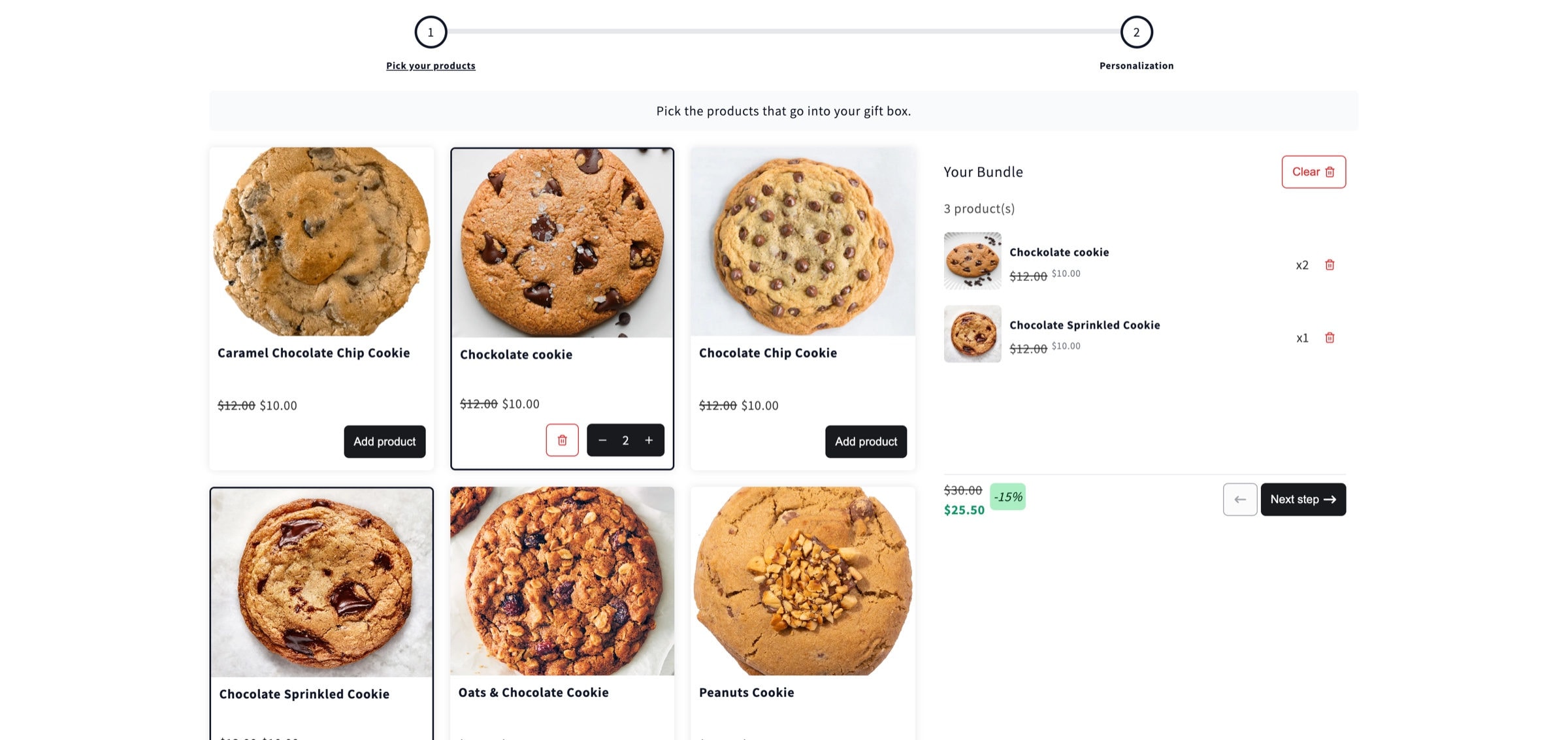
Built to grow your order value
- 4.9Shopify App Store
- 22%Avg AOV lift
- FREETo get started
- 1 clickTheme setup
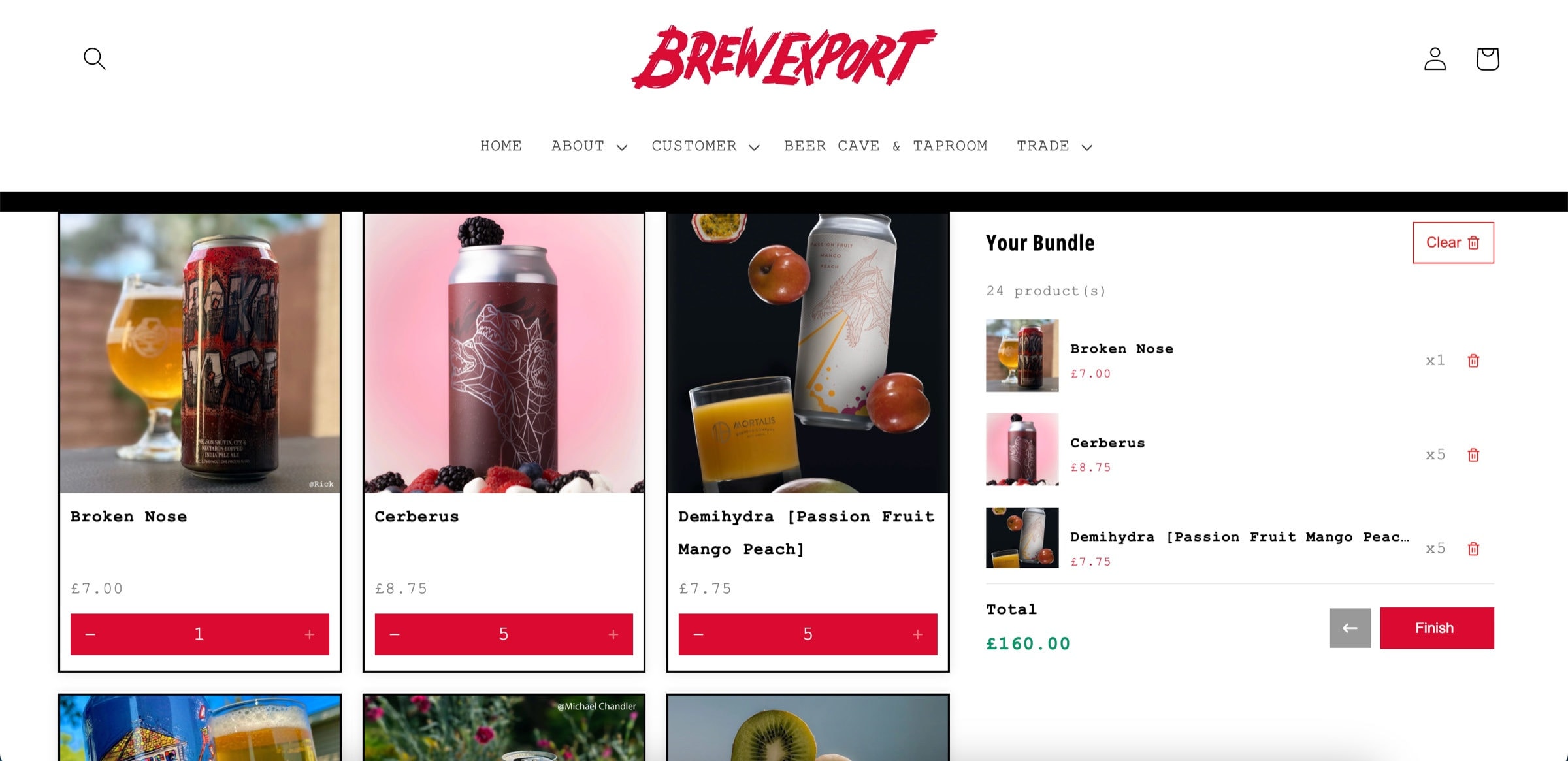
A box builder on your own product page
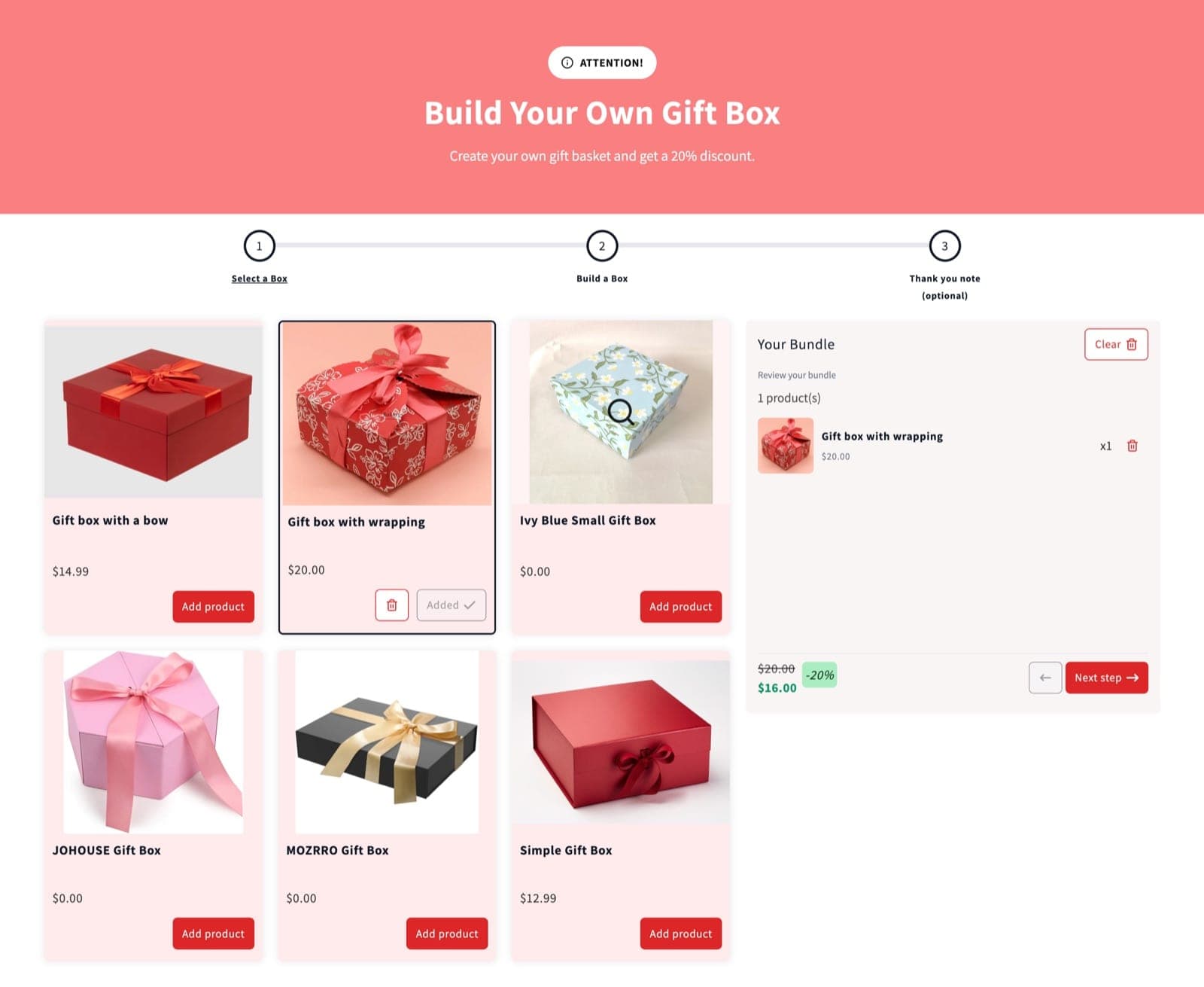
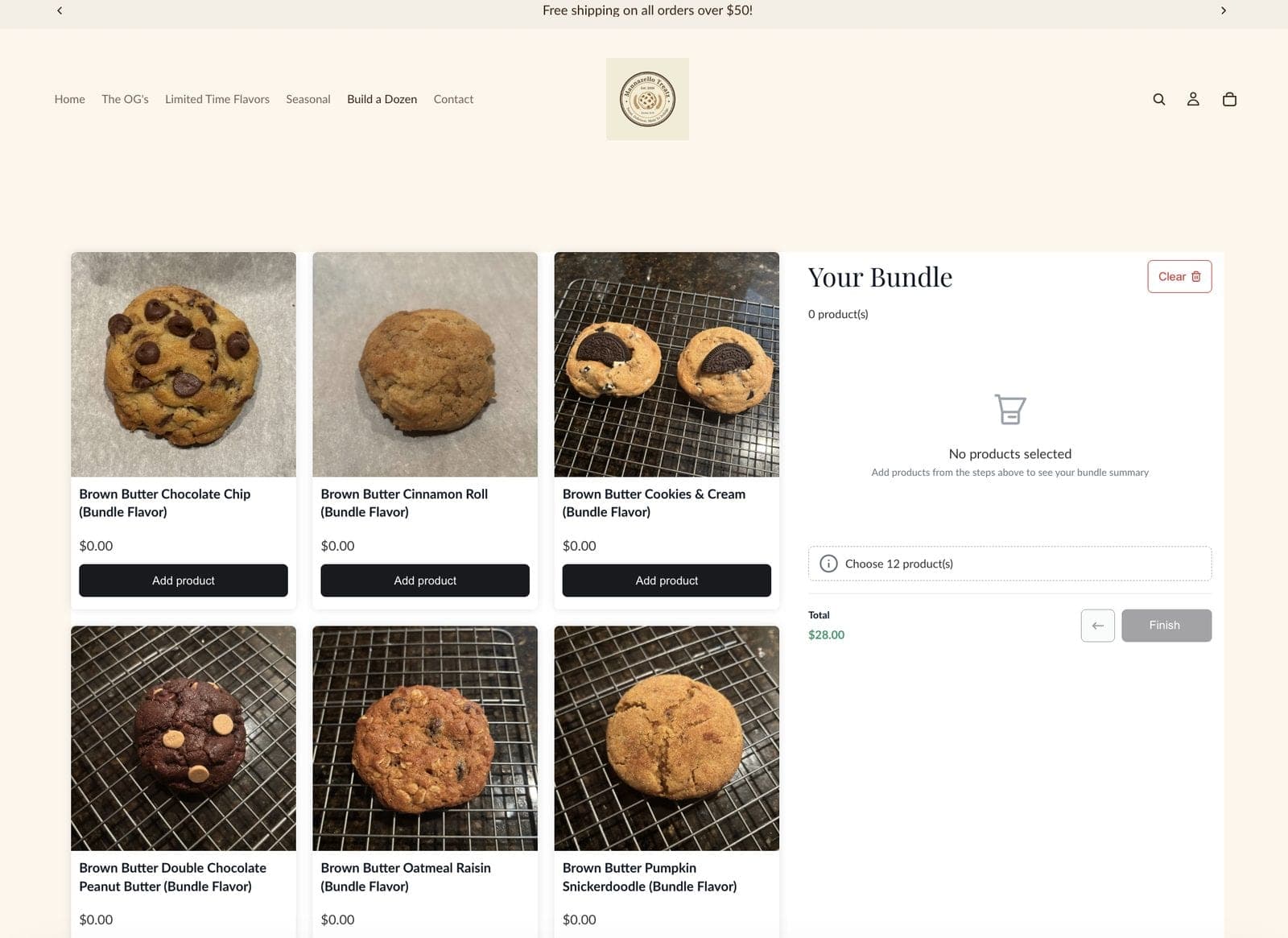
The builder runs on a real Shopify product page through the theme app extension, styled to match your store. Brew Export sells 24 can beer cases this way. One-click theme setup, no code.
- Your colors, fonts and buttons, set in the app
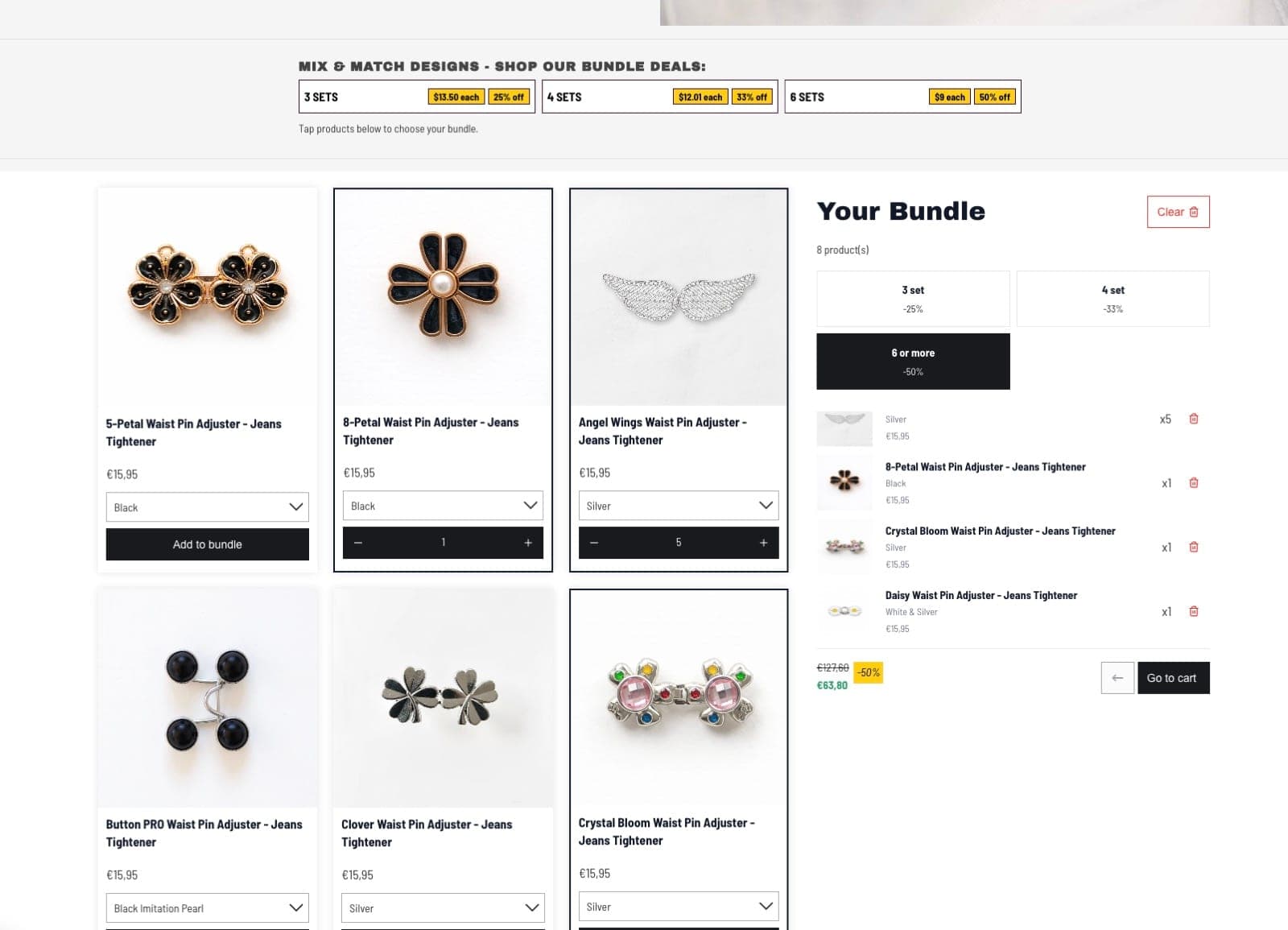
- A running box summary with the total as the box fills
- Sold out variants drop out of the builder automatically, so a box never oversells
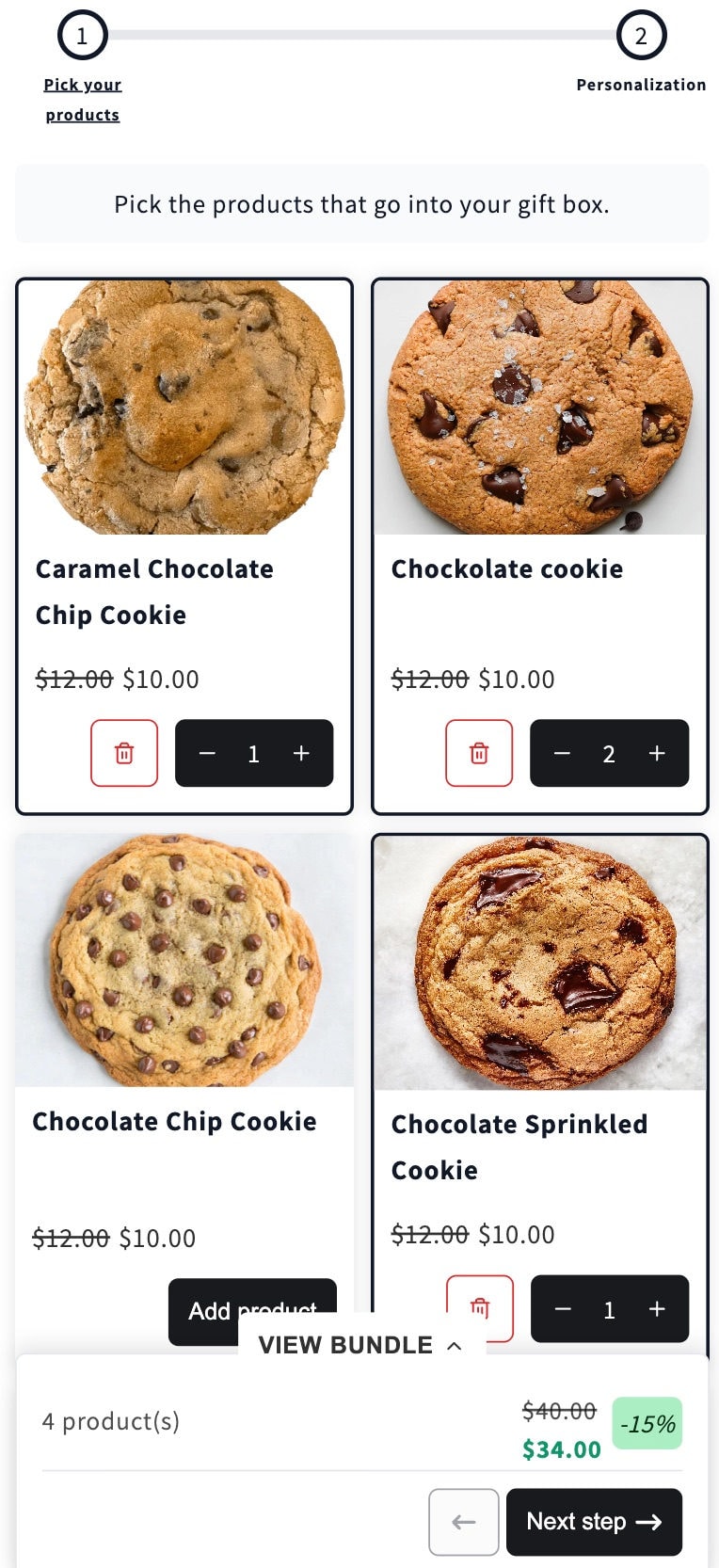
Built for shoppers on their phones
On mobile the products sit in a two column grid and the box summary stays pinned to the bottom of the screen, so customers always see what is in the box and what they are saving.
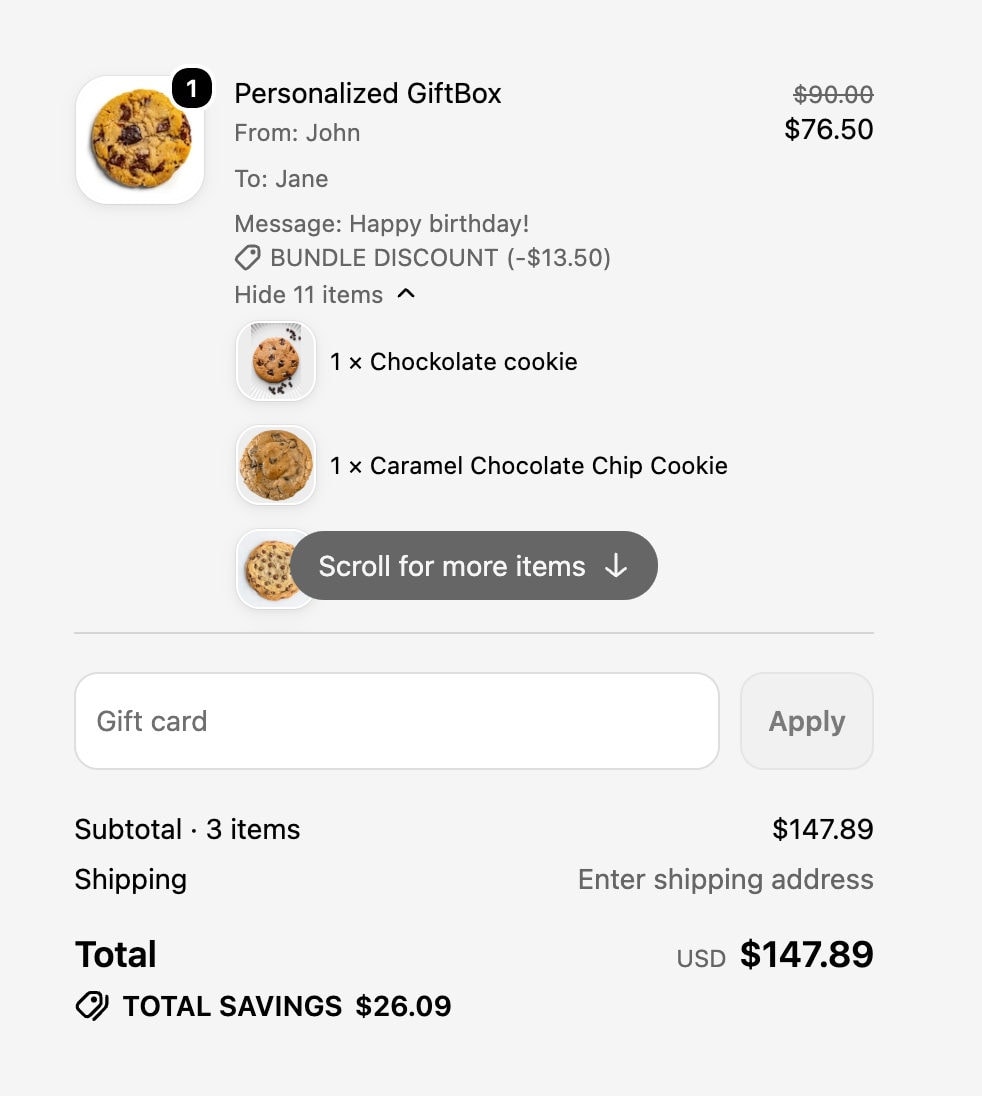
Personal touches, all the way to checkout
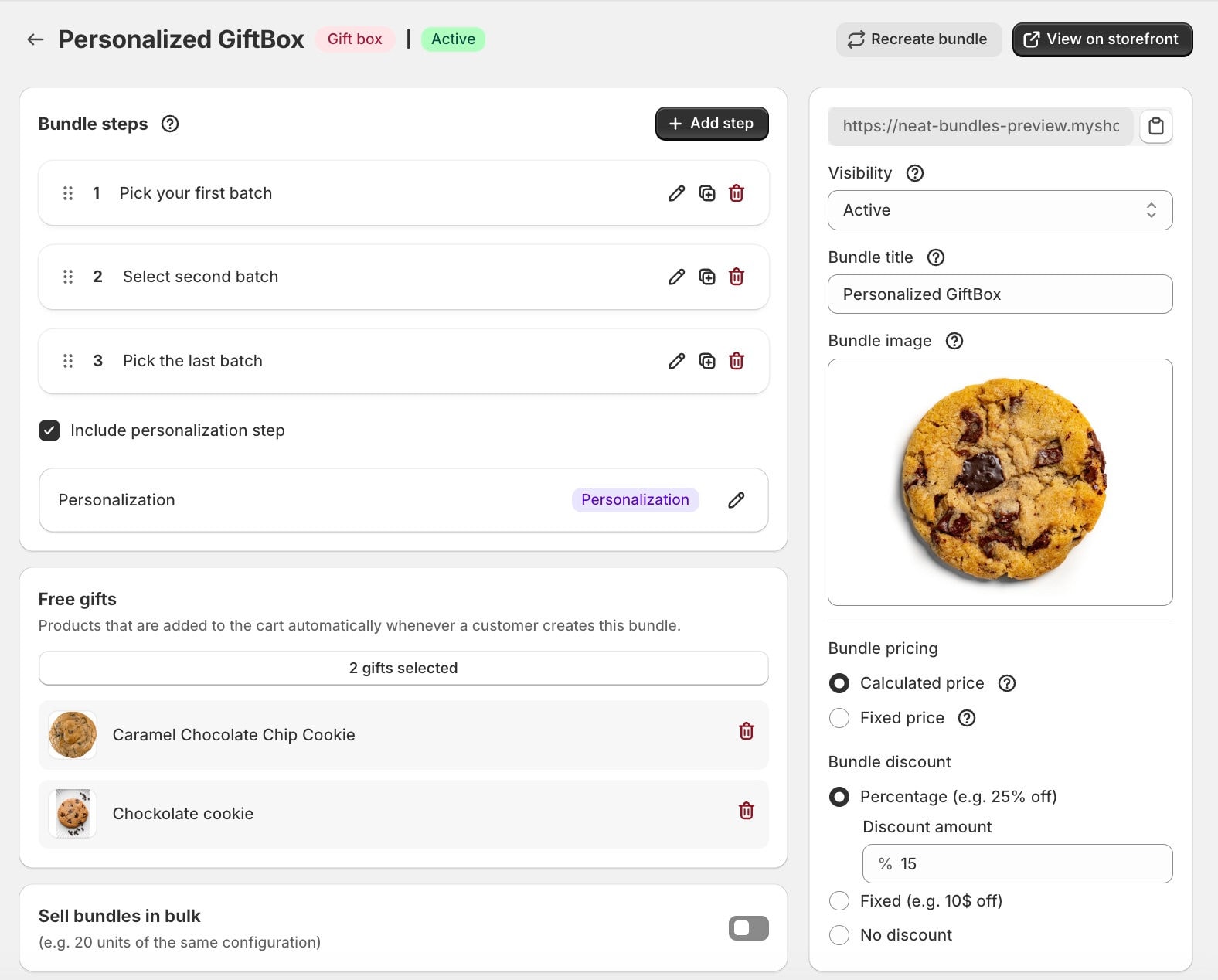
Finish the box with a personalization step. Customers add a name, a message, a date or a photo, and the answers stay with the box through the cart, checkout and the order.
- Photo uploads, dates, numbers, text and dropdowns
- Make any field required or optional
- Answers show up on the order, ready for packing
Set it all up in one screen
Steps, free gifts, the personalization step, pricing and discounts all live on one page in the NeatBundles admin. Change a rule and the box on your store updates with it.
How to set up a build a box on Shopify
Most stores have their first box live in a few minutes.
- 1
Install NeatBundles
Install the app from the Shopify App Store and turn on the theme app extension with one click.
- 2
Create a bundle
Start a new bundle and add a step for each part of the box. Pick whole collections or single products and variants.
- 3
Set the box size
Choose the minimum and maximum number of items per step, and whether the same product can go in more than once.
- 4
Price the box
Pick a fixed box price or add up the items, then add a discount or bulk discount tiers if you want one.
- 5
Add the extras
Attach free gifts and a personalization step for gift messages, dates or photo uploads.
- 6
Publish it
Save the bundle and it goes live as its own product page on your store, ready to share and link to.
Build a box questions
What merchants ask before they set up their first box.
What is a build a box on Shopify?
A build a box is a page where customers fill a box with products of their choice, like a dozen cookies or a six pack of beers, and buy it as one bundle. NeatBundles adds this to any Shopify store without code.
Can Shopify do build a box without an app?
Shopify's own Bundles app sells fixed bundles and multipacks, where you decide what goes in. For a box that customers fill themselves, you need a bundle builder app like NeatBundles.
Can I charge one price for the whole box?
Yes. Use fixed pricing and the box costs the same whatever the customer puts in it. Or use calculated pricing, which adds up the items they picked.
Can I limit how many products go in the box?
Yes. Every step has a minimum and a maximum quantity, so you can sell a box of exactly twelve or a box of three to six. You can also limit how many times one product can be repeated.
Will a build a box oversell my inventory?
No. Inventory syncs automatically, and a variant that sells out stops being selectable in the builder.
How much does NeatBundles cost?
NeatBundles is free up to $500 of bundle sales a month. After that it is $19, $39 or $69 a month depending on your bundle sales, with every feature included on every plan.
More ways to build a bundle
Launch your first build a box
Free to install and you only pay more as your bundle sales grow. One-click theme setup, no code required.
Install for free