Shopify product personalizationProduct personalization for Shopify bundles
Personalized bundlesmade for someone
Add a personalization step to the end of any bundle and let customers enter a name, a gift message, a date or a photo before it goes to the cart. A bundle made for someone is worth more, which lifts your Average Order Value.
- 4.9Shopify App Store
- 22%Avg AOV lift
 Install for free
Made for
Maya
Happy birthday! Everything in here was picked for you.
- Step 1, done: Pick a candle
- Step 2, done: Pick a treat
- Step 3, done: Pick a card
- Step 4, current: Personalize
The last step, after the products are picked
Try it: type in the fields and watch the card update. This is the last step of a bundle, as your customer sees it.
Why a personal touch sells more bundles
A gift, not a basket
A name on the tote or a message in the box turns a set of products into something made for one person. Shoppers pay more for that.
No extra options app
The personalization step is part of the bundle, so you do not need a separate product options app or theme edits to collect answers.
Nothing lost at packing
Every answer is saved on the order in your Shopify admin, next to each product in the bundle, right where your team looks when they pack it.
One answer, from the bundle to the packing table
What your customer types in the last step of the bundle follows the order all the way to fulfilment.
- 1In the bundle
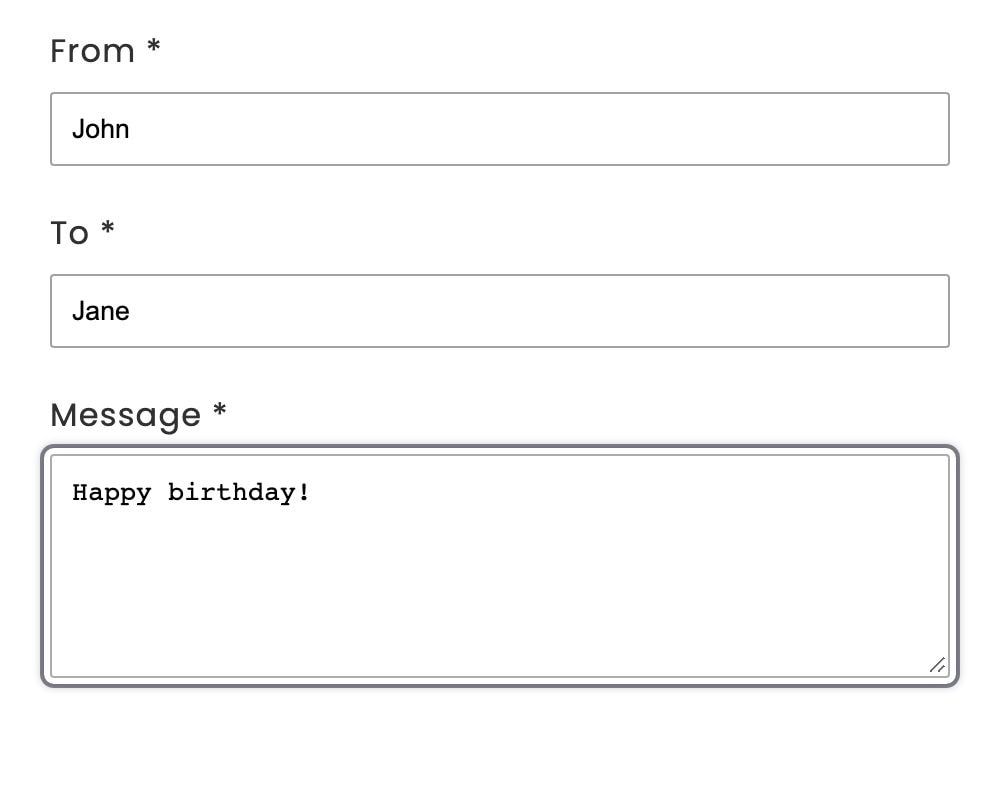
The customer fills in your fields
The personalization step comes after the product steps, just before the bundle goes to the cart. Required fields must be filled in to continue.
- 2In the cart
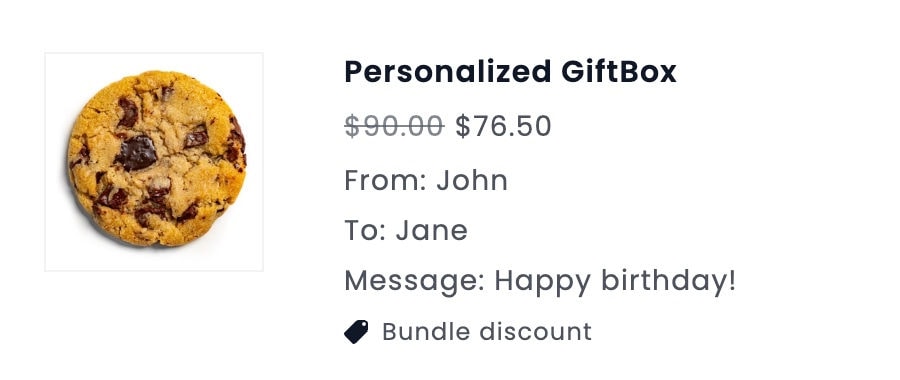
They can check it before paying
Answers show under the bundle in the cart and at checkout, so the customer can spot a typo before paying.
- 3On the order
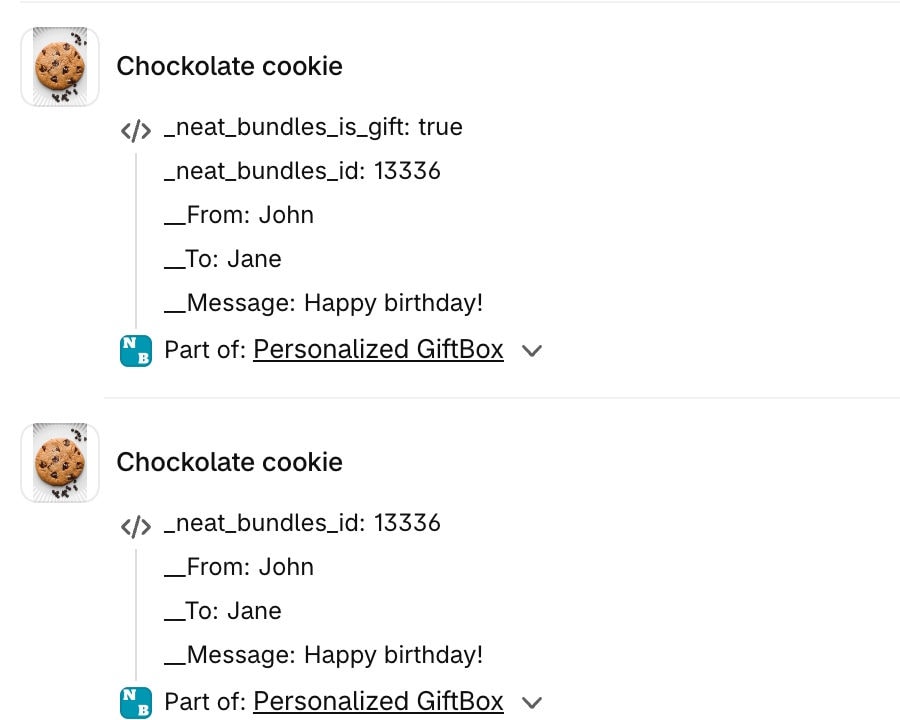
You see it when you pack
Every product of the bundle carries the answers on the order in your Shopify admin, marked with the bundle it belongs to. Photo uploads come through as a link to the image.
Input types
Seven ways to ask
Pick the field that fits the question. Make any field required or optional, and put several fields in one step.
Text
A name for the tote bag
Long text
A gift message for the card
Number
The age for a birthday box
Multiple choice
A ribbon color
Date
When the gift should arrive
Date and time
A pick-up slot
Image upload
A photo to print or to review
Required or optional
Set it per field, and mix several fields in one step.
Setup
How to add personalization to a Shopify bundle
No product options apps and no theme edits. The personalization step is optional and always sits at the end of the bundle, after the product steps.
- 1
Install NeatBundles
Install the app from the Shopify App Store and turn on the theme app extension with one click.
- 2
Create a bundle
Add the product steps customers pick from, or open a bundle you already have.
- 3
Include the personalization step
Tick Include personalization step and add fields like a name, a gift message, a date or a photo upload.
- 4
Save and publish
Customers fill in the fields before adding the bundle to the cart, and every answer lands on the order.
Where the step sits
- Product step
- Product step
- Personalization
- Cart
Optional, and always the last step before the cart.
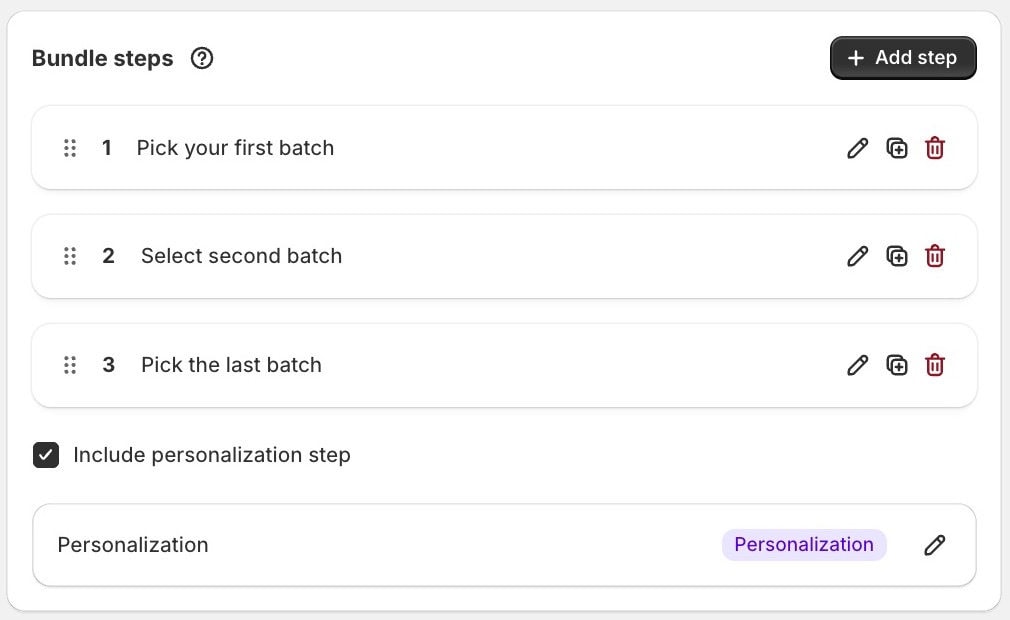
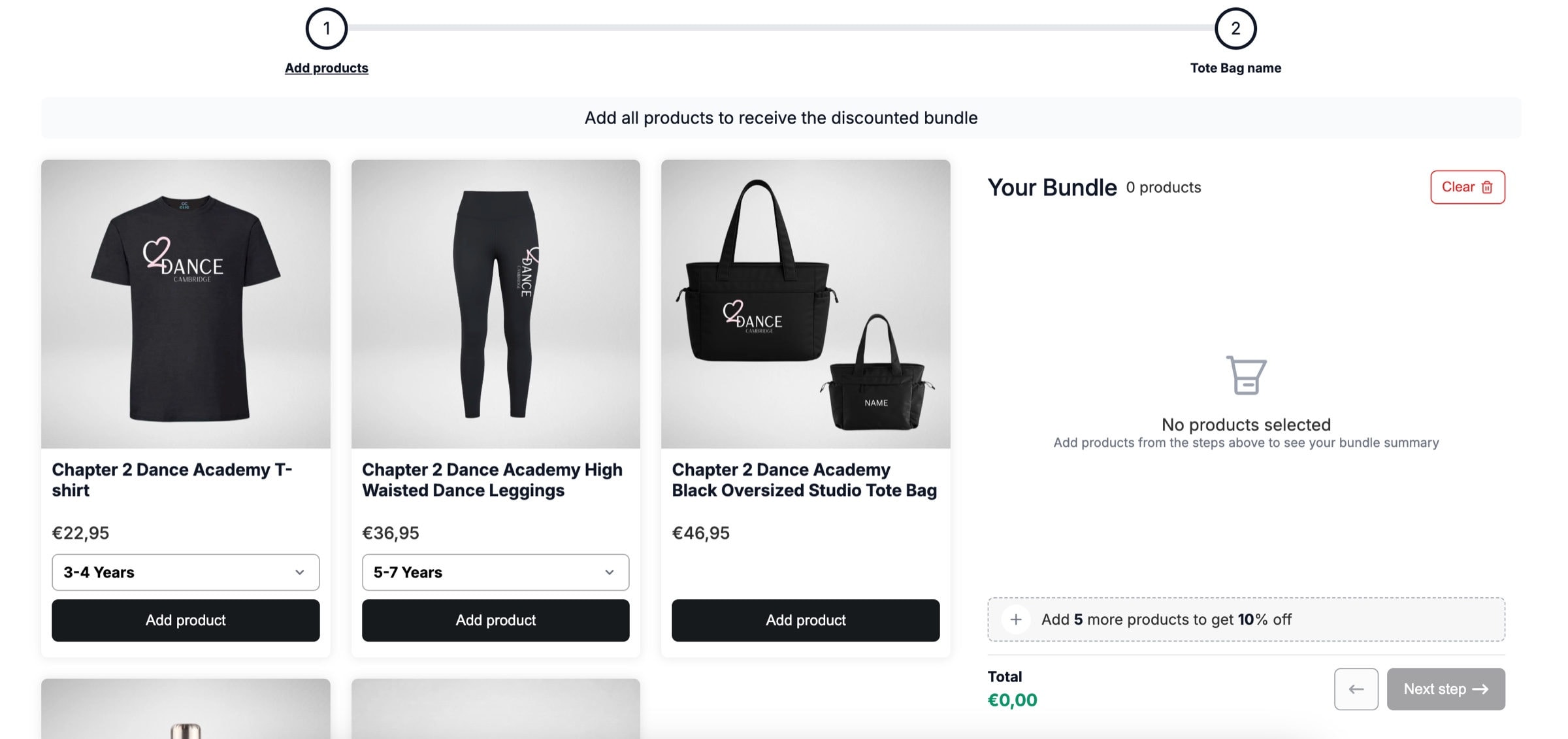
Merchant example: Clic Clothing
A dance academy kit with a name on every tote
Clic Clothing sells club kits where parents pick a size for each garment. The last step of the bundle asks for the name to print on the tote bag, so the name arrives with the order.
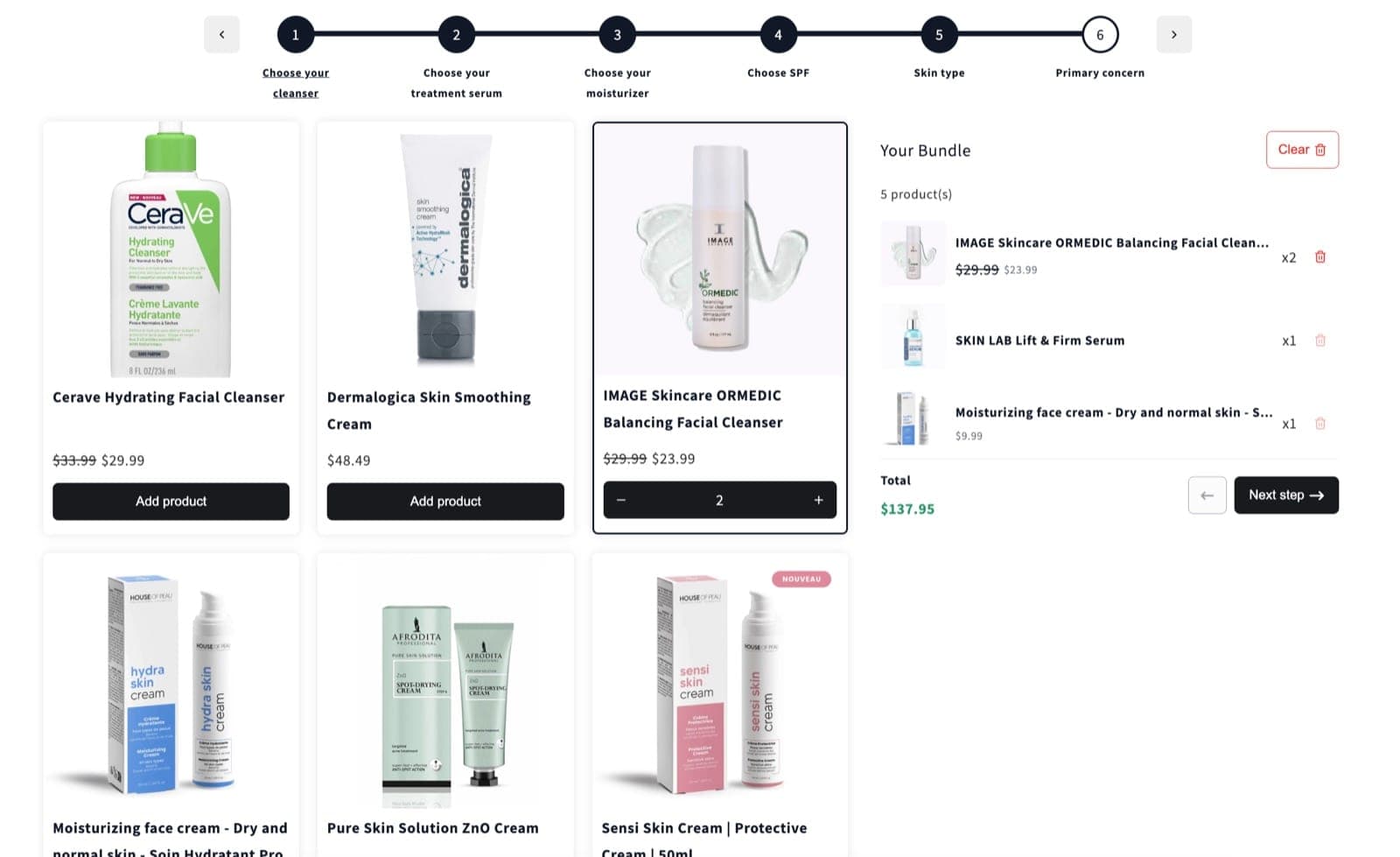
Personalized bundle questions
What merchants ask before they add a personalization step.
What is a personalized bundle?
A personalized bundle lets customers add their own details, like a name, a gift message or a photo, to the bundle they buy. NeatBundles collects these in a personalization step and attaches them to the order.
Where does the personalization step go?
It is an optional step at the end of the bundle, after the product steps. Customers pick their products first, then fill in your fields before adding the bundle to the cart.
What can customers enter?
Seven field types: text, long text, numbers, multiple choice shown as a dropdown, dates, date and time, and photo uploads. Each field can be required or optional, and one step can hold several fields.
Where do I see the answers?
On the bundle in the cart, and on the order in your Shopify admin next to every product in the bundle, so the details are there when you pack the order. Photo uploads come through as a link to the image.
Do I need a separate product options app?
Not for bundles. The personalization step is part of NeatBundles and works with every bundle you build.
Can I personalize a gift box?
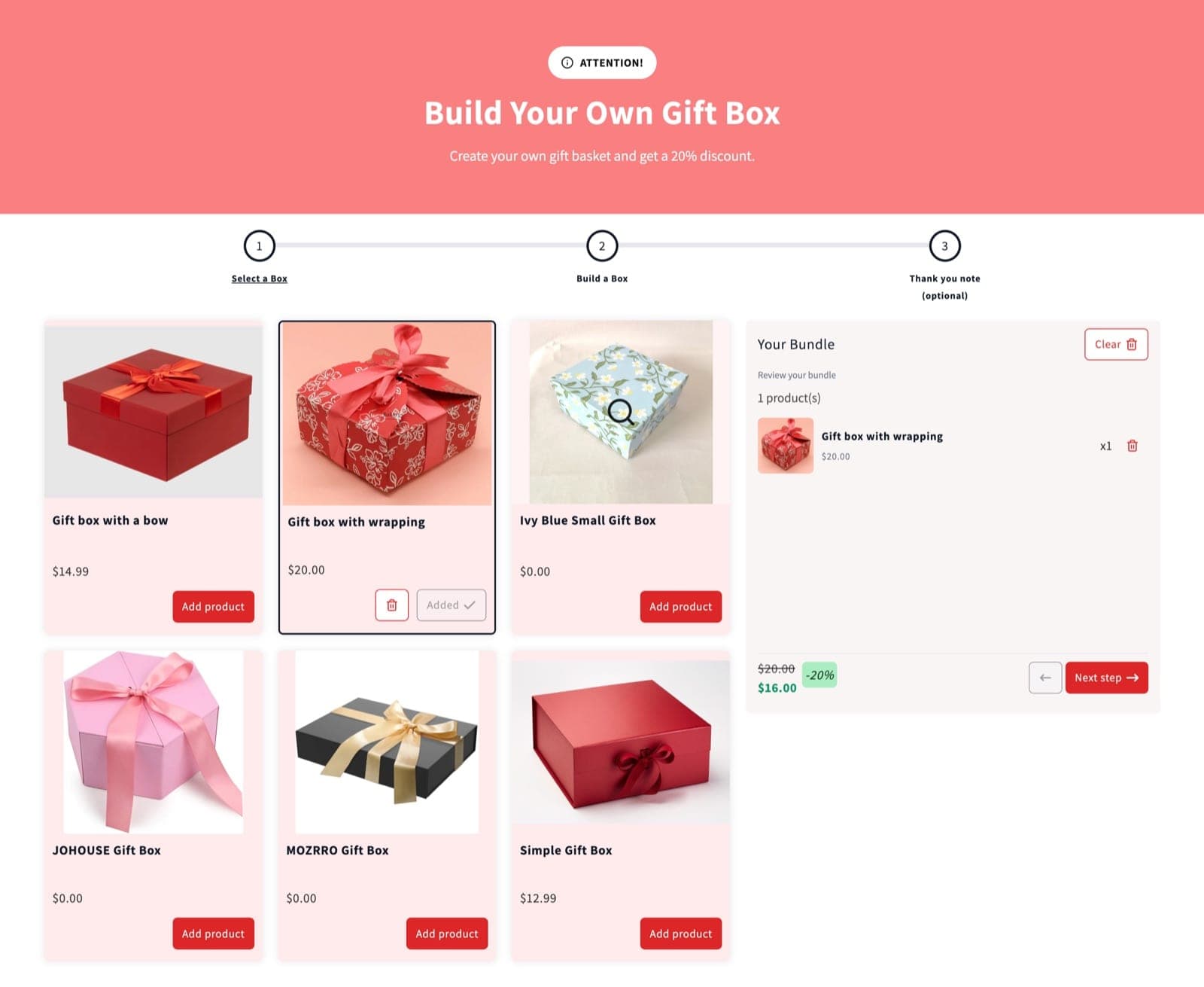
Yes. Add a gift message, a delivery date or a photo upload as the last step of any gift box or build a box bundle.
How much does NeatBundles cost?
NeatBundles is free up to $500 of bundle sales a month. After that it is $19, $39 or $69 a month depending on your bundle sales, with every feature included on every plan.
Make your next bundle personal
Free up to $500 of bundle sales a month, then $19, $39 or $69 as your bundle sales grow. Every feature on every plan. One-click theme setup, no code.
Install for free